One of the most intimidating hurdles for new digital product creators is graphic design. You buy a premium done-for-you (DFY) commercial bundle, open Canva, and freeze—wondering how to transform it into a unique, distinctive asset that stands out from competitors without spending hours moving pixels around.
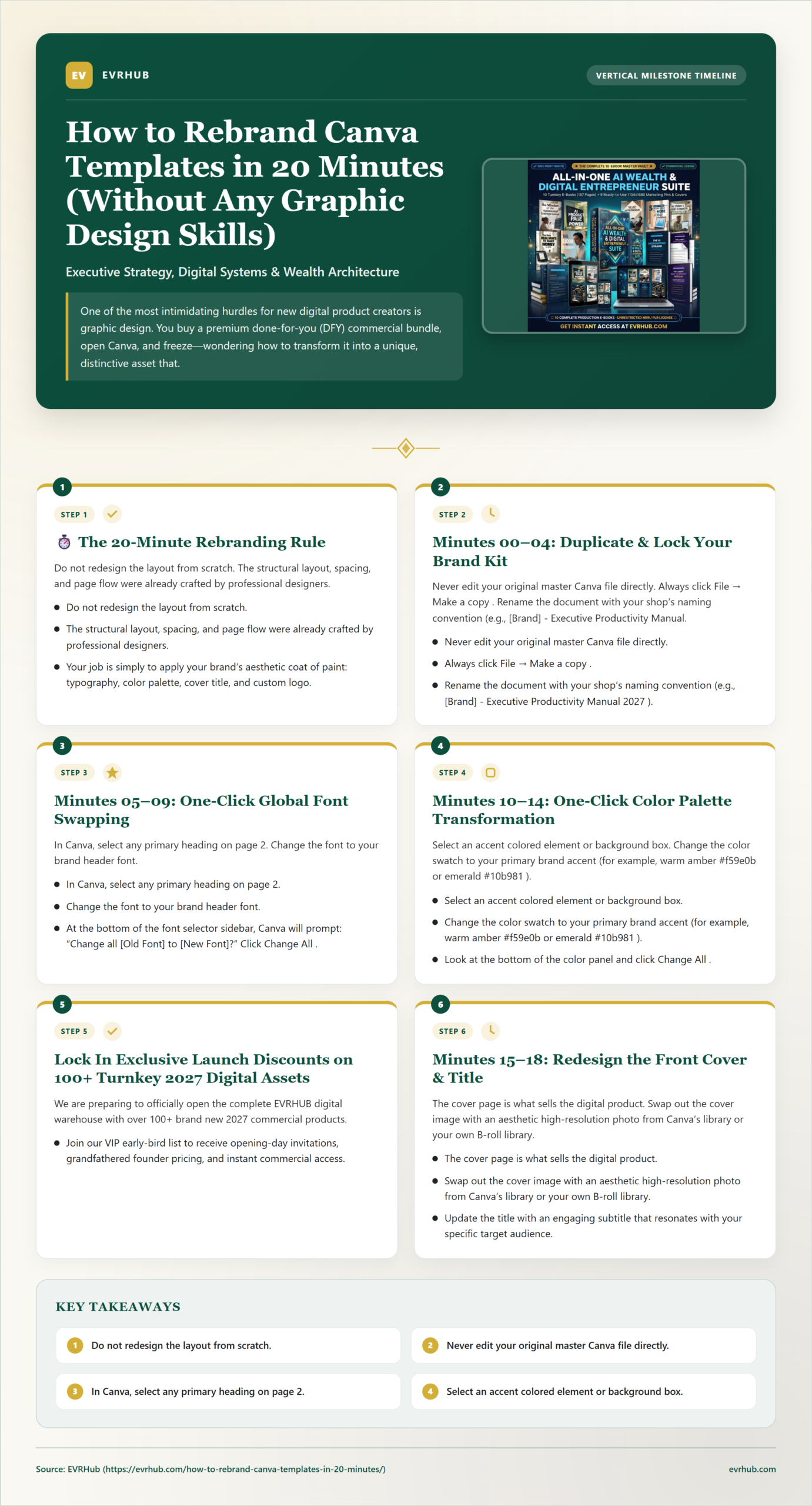
📊 How to Rebrand Canva Templates in 20 Minutes Quick Reference
Step-by-step visual workflow to rebrand Canva templates, swap palettes, adjust typography, and launch commercial products in 20 minutes. Click below to view or download full high-resolution guide.
📋 Share / Embed on Your Site
Here is the reality: You do not need graphic design skills to rebrand a digital product. You just need a systematic, repeatable 20-minute protocol.
In this hands-on workshop guide, we outline the exact 5-step sprint used by top Etsy and Stan Store shop owners to take raw Canva templates and transform them into market-ready, original products in under 20 minutes flat.
⏱️ The 20-Minute Rebranding Rule
Do not redesign the layout from scratch. The structural layout, spacing, and page flow were already crafted by professional designers. Your job is simply to apply your brand’s aesthetic coat of paint: typography, color palette, cover title, and custom logo.
The 5-Step 20-Minute Rebranding Protocol
Minutes 00–04: Duplicate & Lock Your Brand Kit
Never edit your original master Canva file directly. Always click File → Make a copy. Rename the document with your shop’s naming convention (e.g., [Brand] - Executive Productivity Manual 2027). Next, prepare your 3 primary brand hex codes and your chosen font pairing (one bold header font like Outfit or Syne, and one clean sans-serif body font like Inter or Plus Jakarta Sans).
Minutes 05–09: One-Click Global Font Swapping
In Canva, select any primary heading on page 2. Change the font to your brand header font. At the bottom of the font selector sidebar, Canva will prompt: “Change all [Old Font] to [New Font]?” Click Change All. In a single second, all 40+ pages update to your brand typography. Repeat this for the body text font.
Minutes 10–14: One-Click Color Palette Transformation
Select an accent colored element or background box. Change the color swatch to your primary brand accent (for example, warm amber #f59e0b or emerald #10b981). Look at the bottom of the color panel and click Change All. Repeat this for secondary accent borders. Your entire document instantly matches your signature brand color story.
Lock In Exclusive Launch Discounts on 100+ Turnkey 2027 Digital Assets
We are preparing to officially open the complete EVRHUB digital warehouse with over 100+ brand new 2027 commercial products. Join our VIP early-bird list to receive opening-day invitations, grandfathered founder pricing, and instant commercial access.
Join the 2027 VIP Early-Bird List →
Minutes 15–18: Redesign the Front Cover & Title
The cover page is what sells the digital product. Swap out the cover image with an aesthetic high-resolution photo from Canva’s library or your own B-roll library. Update the title with an engaging subtitle that resonates with your specific target audience. For instance, turn “Business Guide” into “The High-Performance Solo Founder Playbook”.
Minutes 19–20: Brand the Back Page & Export
Navigate to the final page. Insert your logo, your website URL, your social media handles, and a clickable link back to your Stan Store or Etsy shop offering a 20% discount code for their next purchase. Click Share → Download → PDF Standard (or PDF Print), and you now have a finished, market-ready asset.
Legalities: Does Rebranding Satisfy Resale Rights?
Yes! In fact, reputable suppliers explicitly encourage rebranding. Under the terms of the EVRHUB Commercial Resale & Rebranding License, you have full commercial authority to modify colors, change copy, and attach your brand identity.
Moreover, rebranding helps you comply with Etsy’s strict Creativity Standards. For more details on marketplace compliance, read our guide on MRR vs. PLR vs. Commercial Resale Rights.
Grab dozens of editable Canva templates in The EVRHUB Bundle Vault, and join our early-bird list to secure founder pricing on opening day.
Be The First To Know When Doors Open
Get Notified First When the Doors Open + Exclusive Launch Discounts on all Digital Guides. We are adding more amazing digital bundles brand new for 2027!