A cluttered desk creates a cluttered mind.
Minimalist desk setup ideas solve that problem by removing distractions and focusing on the essentials. The result is a workspace that looks clean, feels calm, and actually helps you get more done. Whether you are working from home, gaming, or studying, a minimalist desk setup can transform your daily flow — and it does not require expensive furniture or a complete room overhaul to get there.
Why Minimalist Desk Setups Are So Popular
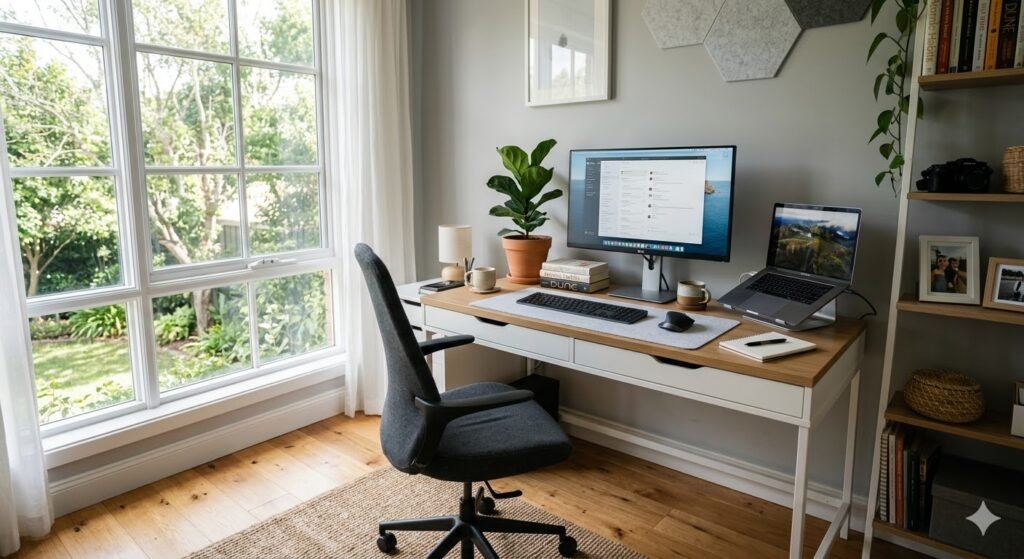
Minimalism is not just a design trend — it is a cognitive strategy. Research consistently shows that physical clutter competes for your attention, leading to increased stress and decreased focus. A messy desk does not just look bad; it actively makes it harder to think, start tasks, and sustain deep work. A minimalist desk setup removes that friction at the source.
A minimalist desk setup helps you in four key ways. First, it reduces visual noise — fewer items on the surface mean fewer things competing for your attention. Second, it improves ergonomics — when you focus on essentials only, each item gets placed where it is most comfortable rather than wherever it landed. Third, it saves time — you stop losing minutes searching for pens, cables, or documents. Fourth, it elevates the look of your gear — high-quality peripherals look dramatically better when they are not buried under paper and clutter.
21 Minimalist Desk Setup Ideas
1. The All-White “Cloud” Setup
An all-white minimalist desk setup instantly makes a room feel larger, brighter, and more modern. Everything in the same palette — desk, keyboard, monitor arm, accessories — reads as one unified, calm workspace rather than a collection of separate objects competing for attention. This is one of the most popular minimalist desk setup ideas on Pinterest and Reddit because it photographs beautifully and is genuinely easier to maintain than a mixed-color setup.
The key is consistency: even your cable management should be white or hidden. A single off-white or cream element (like a felt desk mat) adds warmth without breaking the cohesion. Works best in rooms with natural light, where the white surfaces reflect daylight and keep the space feeling airy all day.
- Key elements: White motorized standing desk, white mechanical keyboard, light grey felt desk mat.
- Pro tip: Use a white monitor skin or white monitor arm to complete the look. Even small black accessories will break the palette.
2. The Single Monitor Powerhouse
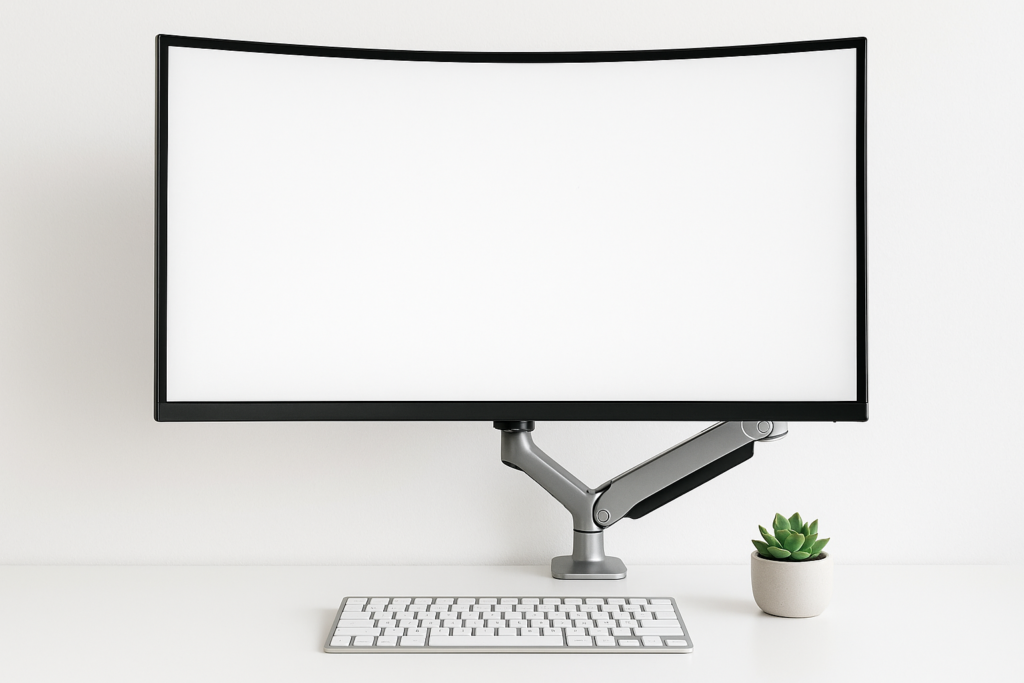
More screens do not always mean more productivity. A single 27-inch or 32-inch monitor provides a focused field of vision that removes the temptation to multitask ineffectively. Many productivity researchers argue that single-monitor setups produce better deep work outcomes precisely because there is only one place for your attention to go.
A monitor arm is essential here — it clears the bulky plastic stand from your desk and lets you push the monitor back further, creating “breathing room” in front of the screen. Combined with a wireless keyboard and mouse, the result is a desk surface that is mostly empty and completely intentional.
- Minimalist layout: One central monitor on a premium arm to reclaim desk real estate.
- Upgrade path: Use window management software (Windows Snap or macOS Mission Control) to get dual-monitor functionality from one screen.
3. The Scandi-Natural Wood Look (Japandi)
Minimalism does not have to be cold or clinical. Combining light oak or walnut wood with earthy neutral tones creates a “Japandi” aesthetic — a fusion of Japanese wabi-sabi philosophy and Scandinavian hygge design. The result is a minimalist desk setup that feels warm, grounded, and genuinely inviting rather than sterile.
The rule with this style is restraint: one wood tone, one neutral (beige, cream, or warm gray), and nothing that feels synthetic or plasticky. A single small plant completes the look without cluttering the surface. This is one of the most popular minimalist desk setup styles in 2025 because it works in virtually any room and does not require expensive furniture.
- Popular elements: Walnut or oak desk surface, beige wool desk mat, warm-toned desk lamp, small potted plant.
- Budget version: The IKEA KARLBY countertop in oak or birch finish hits this aesthetic for under $200.
4. The Floating Desk (Small Space Hero)
Floating desks are wall-mounted, meaning no legs to clutter the floor — a dramatically cleaner visual compared to any freestanding desk. Because the surface appears to float, the entire room looks tidier even before you organize a single item. The limited surface area also enforces minimalism naturally: you simply cannot accumulate clutter on a 36-inch floating desk the way you would on a 60-inch freestanding one.
Pair with a floating shelf directly above for monitor placement and vertical storage. Route cables through the wall or along the back of the desk and down to a power strip mounted underneath. The result is a setup that looks architectural rather than assembled.
- Best for: Studio apartments, bedroom corners, rooms that double as living spaces.
- Cost: $80–200 for a quality wall-mounted desk. See our small desk setup ideas guide for the best compact configurations.
5. The “Laptop-Only” Nomad
Sometimes the most minimalist desk setup is just a laptop. This configuration is for people who value mobility, flexibility, and absolute simplicity above all else. The key upgrade that makes it viable as a full workstation is a quality laptop stand that raises the screen to eye level — without it, you end up hunching forward and trading a clean desk for neck pain.
Add a wireless keyboard and mouse and you have a complete ergonomic workstation that packs into a bag in 60 seconds. This setup is ideal for people who work in multiple locations, have limited desk space, or want the freedom to completely clear their surface when not working.
- Essentials: Quality laptop stand (aluminum, $30–80), wireless keyboard and mouse, single USB-C hub to minimize connection points.
- Upgrade: Add a single external monitor for when you need more screen space without committing to a permanent dual-screen setup.
6. The “Zero-Cable” Challenge
Cable clutter is the single biggest destroyer of minimalist aesthetics — and it is entirely solvable. The zero-cable approach has two phases: first eliminate cables at source with wireless peripherals, then hide the remaining unavoidable cables completely with an under-desk tray system.
A wireless keyboard, mouse, and headset remove the three most visible cable runs immediately. A 3-in-1 wireless charging station consolidates phone, watch, and earbuds charging to a single power cable. What remains — monitor power, one USB-C hub — goes into an under-desk cable tray with a single power sleeve running to the wall. The result is a surface with literally no visible wires. For the full cable management guide, see our clean desk setup ideas post.
- How to achieve it: Wireless peripherals first, then under-desk cable tray ($15–30), then a single cable sleeve for the wall run.
- Cost: Under $60 in cable management products transforms almost any desk into a zero-cable setup.
7. Symmetrical Dual Monitors
If you genuinely need two screens, symmetry is what keeps a dual-monitor setup feeling minimalist rather than cluttered. Two identical monitors at the exact same height, angle, and distance — mounted on a dual arm that centers them perfectly — creates visual harmony. The moment one monitor is higher, smaller, or a different brand than the other, the setup starts to look like an afterthought.
Use a dual monitor arm rather than individual stands — it eliminates two separate bases and keeps the horizon of your desk clean and level. Route all cables down the back of the arm into a single under-desk tray. The result looks intentional rather than accumulated.
- Rule: Identical monitors only. Matching size, brand, and finish is non-negotiable for a clean minimalist look.
- Desk width needed: 60+ inches for two 27-inch monitors with space on either side.
8. The Minimalist Mac Studio
Apple hardware is built for minimalism — the design language does most of the work for you. An iMac or MacBook Pro with a Magic Keyboard and Magic Trackpad is one of the cleanest minimalist desk setup combinations available because Apple’s matching accessory ecosystem means every item on your desk shares the same material, color, and design language.
The key upgrade for a minimalist Mac setup is a vertical laptop stand when using an external monitor — it closes the MacBook, stands it on its side, and reduces its desk footprint from a full laptop to a book-width slot. Combined with a single cable from a USB-C hub, the entire setup runs on minimal connections.
- Key pieces: MacBook Pro or iMac, Space Grey or Silver accessories, Twelve South BookArc stand, Magic Trackpad.
- Cable goal: One USB-C cable from hub to MacBook. That is the entire desk connection.
9. The “Dark Mode” (All-Black) Setup
A matte black minimalist desk setup is dramatic, sleek, and surprisingly practical. Black surfaces hide dust and minor scratches that would be instantly visible on a white desk. Cable management disappears against dark surfaces. And the psychological effect of a dark, focused environment actually encourages concentration — it is why so many professional esports players and late-night creators gravitate toward all-black setups.
The key to making black minimalist feel rich rather than flat is texture variation: matte black wood desk, black leather desk mat, brushed black metal monitor arm, black fabric keyboard. Each material reads differently under light while staying within the same palette. Add one warm accent — a brass lamp, a green plant — to prevent the “black hole” effect.
- Design tip: Mix textures — black wood, black leather, black metal — to keep depth and prevent monotony.
- One accent rule: Brass, copper, or green plant. Pick one and commit.
10. The Ultra-Clean Wireless Hub
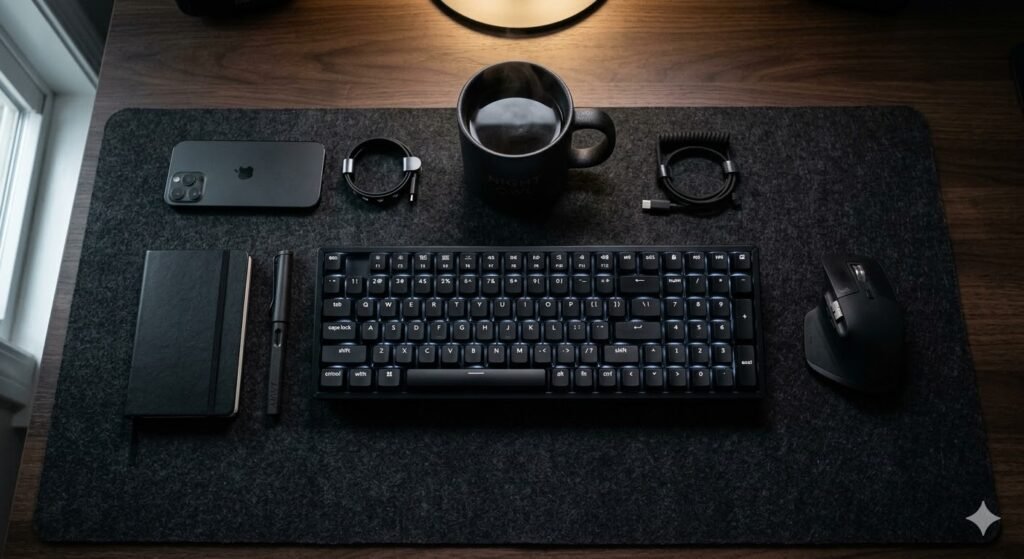
The 3-in-1 wireless charging station is one of the highest-impact minimalist upgrades available for under $50. It charges your phone, watch, and earbuds simultaneously from a single power cable — replacing three separate charging cables that would otherwise snake across your desk surface. Combined with wireless keyboard and mouse, your desk surface can legitimately have zero cables on it during the workday.
Position the charging station to one side of your desk mat as a dedicated “charging zone.” Everything that needs power goes there and stays there. Your primary work zone — keyboard, mouse, monitor — remains completely clear.
- Best for: iPhone + Apple Watch + AirPods users (all charge simultaneously). Android equivalents exist for Samsung ecosystems.
- Cost: $30–80 for a quality 3-in-1 wireless charging station.
11. The Biophilic (Plant-Focused) Desk
Adding a single plant to a minimalist desk setup does more than most people expect. Studies show that plants reduce stress, improve air quality, and increase sustained attention during work. Visually, a plant provides the one element that no amount of premium hardware can: something living, organic, and imperfectly beautiful that prevents a minimalist setup from feeling sterile.
The minimalist rule for plants: one on the desk maximum, one larger floor or shelf plant nearby. Any more and the setup starts to read as a plant collection rather than a workspace. Choose plants that require minimal maintenance — you do not want plant care to become another thing cluttering your desk routine.
- Best desk plants: Snake plant (very low maintenance), small succulent, ZZ plant, single stem in a minimal ceramic vase.
- For vertical interest without desk space: Hanging pothos on a wall mount above the desk.
12. Vertical Laptop Stand Integration
When using a laptop with an external monitor, storing the laptop flat on the desk wastes nearly a third of your available surface area. A vertical laptop stand rotates the laptop 90 degrees and stores it upright in a slot roughly the width of a book. It is one of the most space-efficient upgrades in any minimalist desk setup — for $20–40, you reclaim significant desk real estate immediately.
Close the laptop lid, slot it vertically, and connect your external monitor via USB-C. Your desk suddenly has an open, breathable surface where a laptop used to dominate. Combined with a wireless keyboard and mouse, this is one of the cleanest minimalist desk configurations possible.
- Space saved: Roughly 12×8 inches of surface area reclaimed instantly.
- Best stands: Aluminum vertical stands ($20–50) in silver, black, or space grey to match your laptop.
13. The Monitor Arm Upgrade
If you do only one thing for your minimalist desk setup, buy a monitor arm. A monitor arm removes the bulky plastic stand from your desk, raises your screen to proper eye height, and allows you to slide the keyboard completely underneath the monitor when not typing. The visual impact is immediate and dramatic — the desk looks twice as large and twice as intentional.
Beyond aesthetics, a monitor arm is the most ergonomically important upgrade you can make. Fixed monitor stands force your screen into one position regardless of your chair height or posture. An arm adjusts in seconds. For a complete ergonomics guide that covers monitor arm positioning in detail, see our ergonomic desk setup guide.
- Budget option: Amazon Basics single monitor arm (~$35) — functional and clean.
- Premium option: Ergotron LX ($55–80) — best-in-class build quality and range of motion.
14. Minimalist Gaming “Battlestation”
Gamers can absolutely be minimalists. The most common mistake in gaming setups is over-lighting — dozens of RGB colors fighting each other across the desk. A minimalist gaming desk setup uses a single solid RGB color (warm white or deep blue) synced across all peripherals, creating a cohesive glow rather than a light show.
The KARLBY + ALEX IKEA combination is the most popular minimalist gaming desk foundation — wide enough for dual monitors, solid enough for monitor arms, with built-in drawer storage to keep gaming accessories off the surface. See our gaming desk setup ideas guide for a full build walkthrough and our IKEA desk setup ideas guide for the KARLBY + ALEX combination specifically.
- Key switch: Replace RGB chaos with a single solid color. Warm white at 30% brightness is the most popular minimalist gaming lighting.
- Wireless gaming mouse: Logitech G Pro X Superlight eliminates one of the most visible cables in any gaming setup.
15. The “Hidden” Closet Office (Cloffice)
A cloffice — a closet converted into a home office — is one of the cleverest minimalist desk setup solutions for small homes or apartments. The entire workspace exists within the footprint of a standard reach-in closet, and when you close the doors at the end of the day, the office disappears entirely. Applied minimalist principles make a cloffice genuinely productive: a floating shelf as the desk surface, pegboard on the back wall for storage, and a monitor arm to eliminate desk bulk.
The psychological benefit is significant — you literally close the door on work at the end of the day. For renters or anyone working in a studio apartment, this is often the cleanest minimalist home office solution available without a dedicated room.
- Key elements: Wall-mounted floating shelf as desk, pegboard back wall, monitor arm, LED light strip inside for task lighting.
- Doors: Keep them. Closing the closet at end of day is a powerful psychological “work off” signal.
16. The Neutral Monochromatic Palette
The three-color rule is the most reliable minimalist desk setup approach for anyone who struggles to maintain a cohesive aesthetic over time: choose gray, white, and black, and stick to only those three. This “no-fail” palette ensures that any new accessory, peripheral, or upgrade you buy will automatically match everything else on your desk.
The practical benefit beyond aesthetics is decision elimination. You never spend time wondering whether a new keyboard or desk lamp matches your setup. If it comes in black, white, or gray, it belongs. Everything else stays in the drawer.
- Palette: Gray (desk mat, chair), White (desk surface, accessories), Black (monitor, keyboard, mouse arm).
- One accent permitted: Warm wood or a single plant. Not both.
17. The Minimalist Standing Desk
A minimalist standing desk setup is both an aesthetic and health upgrade simultaneously. The principle: keep the surface empty except for your monitor arm, keyboard, and mouse — nothing that would be awkward to work around when standing. When the desk is clear, the transition from sitting to standing is frictionless. When it is cluttered, you are constantly moving things out of the way.
Choose a standing desk with a clean, simple design — one surface, four legs or a central column, no shelves, brackets, or cable management built visibly into the frame. Hidden cable management is the priority. For a full standing desk review, our Fezibo electric standing desk guide covers the most popular budget-friendly option.
- Key tip: Keep the top surface empty so the motor is not strained and the look remains airy as it rises.
- Anti-fatigue mat: Choose one in a neutral color (black or gray) to maintain the minimalist palette.
18. The “One-Drawer” Rule
The single most effective minimalist desk habit: designate one drawer as the place where everything that is not a keyboard, monitor, or mouse must live. Charging cables, stationery, headphones, notebooks, snacks — all of it goes in the drawer. If something does not fit in the drawer, you genuinely do not need it within arm’s reach of your desk.
The IKEA ALEX drawer unit is the most popular choice for this rule because it provides five deep drawers (far more than one drawer’s worth of storage) in a clean, minimal form factor that pairs with almost any desk surface. See our IKEA desk setup ideas guide for the best ALEX combinations.
- Rule: If it is not a monitor, keyboard, or mouse, it lives in a drawer. No exceptions visible on the surface.
- Best option: IKEA ALEX drawer unit ($80–165) — the gold standard for under-desk minimalist storage.
19. The IKEA KARLBY Aesthetic
The IKEA KARLBY countertop resting on two ALEX drawer units is arguably the most popular minimalist desk setup in the world. It is wide (57–98 inches depending on size), premium-feeling, available in walnut, oak, and birch finishes, and costs a fraction of equivalent custom furniture. The thick countertop looks like a quality desk without looking like flatpack furniture — which is why it dominates Reddit battlestation posts, YouTube setup tours, and interior design Pinterest boards simultaneously.
The minimalist appeal is the combination of clean surface area and hidden storage — ten deep drawers beneath a wide, beautiful countertop. Everything has a home, nothing is visible, and the desk looks expensive. For the full build guide including sizes, cable management, and accessory recommendations, see our IKEA desk setup ideas guide.
- Cost: $350–500 for the full KARLBY + two ALEX units build.
- Best finish for minimalism: Light oak or walnut for Japandi vibes; dark stain for a premium dark mode look.
20. The Content Creator’s Minimalist Setup
Content creators face a specific minimalist challenge: recording equipment (microphones, ring lights, cameras) visually dominates a desk and destroys the clean aesthetic. The solution is “low-profile” gear that hides under your monitor rather than swinging over the surface.
A monitor light bar replaces a desk lamp entirely — it clips to the top of your monitor and illuminates your desk from above without taking up surface space. A boom arm mic positioned off-camera and behind the monitor stays out of frame. A webcam that clips to the monitor top rather than sitting on a tripod keeps the desk clear. The camera sees a clean desk; you see your equipment positioned functionally but invisibly.
- Low-profile mic arm: Elgato Wave or Røde PodMic on a short arm that parks below monitor level when not recording.
- Monitor light bar: BenQ ScreenBar ($109) — replaces desk lamp with zero footprint.
21. The “Zen” Meditative Desk
The Zen desk setup is minimalism at its most intentional. Every material is chosen for tactile quality rather than technical specification. A felt or wool desk mat, a handcrafted ceramic mug, a single piece of art on the wall, one small bonsai or carefully chosen plant. No plastic allowed — this aesthetic is about the sensory experience of your workspace as much as its visual appearance.
This approach works particularly well for writers, designers, and anyone whose work requires sustained creative thinking. The deliberate absence of technology-forward accessories (no RGB, no gaming peripherals, no visible cables) creates a workspace that feels calm before you even sit down — which is exactly the psychological state that produces the best creative work.
- Material rules: Natural materials only — wood, ceramic, linen, felt, leather. No plastic on the surface.
- One art piece: A single framed print or handmade object. The rest of the wall stays clear.

Minimalist Desk Setup by Style
The 21 ideas above can all be grouped into broader style approaches. Here is how to choose the right minimalist aesthetic for your room and personality.
Minimalist Home Office Desk Setup
A minimalist home office desk setup balances visual cleanliness with full-day productivity. The priorities are ergonomics first (monitor at eye level, chair properly adjusted), cable management second, and aesthetic choices third. A neutral palette — white, gray, or warm wood — keeps the space feeling professional on video calls. Close drawers at the end of the day as your “work off” signal. For a full WFH-specific guide, our work from home desk setup covers every ergonomic and productivity detail.
Minimalist Bedroom Desk Setup
A minimalist desk in a bedroom needs clear visual separation from your sleep environment. A floating desk in a corner, a consistent neutral palette, and a strict end-of-day reset habit (clear the surface, close the laptop) prevents your workspace from bleeding into your rest space. The single most important rule: never leave work items on the desk overnight. The moment your brain associates the desk with unfinished work, the bedroom stops being restful.
Minimalist Gaming Desk Setup
A minimalist gaming setup proves you do not have to choose between performance and aesthetics. Single solid RGB color, wide clean surface, wireless peripherals, and all cables routed underneath. The KARLBY + ALEX combination is the most popular foundation — see our full gaming desk setup ideas guide for a complete build walkthrough at every budget.
Minimalist Desk Setup on Any Budget
Budget Minimalist Desk Setup: Under $300
At this tier, minimalism is achieved through editing, not spending. Start by removing everything from your desk surface and returning only what you use daily. Add a $15 under-desk cable tray, $8 of velcro ties, and a $30 desk mat. The result is cleaner than most $1,000 setups that never had a clear-out. An IKEA LINNMON + ADILS desk ($60–80) gives you a clean, wide surface in white or black for almost no investment. A monitor arm ($35–50) replaces the bulky plastic stand and immediately transforms the look.
Mid-Range Minimalist Desk Setup: $300–$800
At the mid-range, the IKEA KARLBY + ALEX combination ($350–500) is the gold standard minimalist desk build — premium look, generous storage, wide surface, available in beautiful wood finishes. Add a quality monitor arm ($50–80), wireless keyboard and mouse ($80–150), and a 3-in-1 wireless charger ($40–60). Total investment: under $800 for a setup that looks significantly more expensive and performs better than most pre-configured “gaming desks” at the same price.
Premium Minimalist Desk Setup: $800+
At the premium tier, invest in a motorized sit-stand desk ($400–700), a quality ergonomic chair ($300–600), and a premium monitor arm ($80–150). Everything else — peripherals, cable management, accessories — should be chosen once and chosen well. One great wireless keyboard outlasts three cheap ones. One quality desk mat in natural leather or premium felt lasts years. The premium minimalist approach is about buying fewer things at higher quality rather than accumulating affordable items that eventually create the clutter you were trying to avoid.
How to Keep a Minimalist Desk Setup Long-Term
Building a minimalist desk setup once is easy. Keeping it that way requires three habits:
Daily reset (2 minutes): At the end of every workday, clear the surface back to its base state — monitor, keyboard, mouse, one plant or lamp. Everything else goes back in a drawer or away. This habit takes 2 minutes and prevents the gradual accumulation of clutter that destroys minimalist setups over weeks.
One-in-one-out rule: Every time something new comes to the desk, something existing leaves. New wireless charger arrives — the old wired one goes. New notebook — the old partially used one goes in storage. This rule prevents the slow expansion of desk items that feels harmless one item at a time but transforms your setup over months.
Monthly audit: Once a month, remove everything from your desk and return only what you actually used in the past 30 days. Anything that did not get touched goes in closed storage. Most people discover they are living with 30–40% more items on their desk than they actually need.
For a complete clean desk setup guide including cable management strategies and organizational systems that support these habits, see our dedicated guide.
How to Build Your Minimalist Setup (The Essentials)
To get started with any minimalist desk setup, prioritize these “Big Four” items in order:
- The Surface: A deep desk (at least 30 inches from front to back) allows you to push the monitor back and create “breathing room” in front of the screen. Width should be at least 47 inches to avoid feeling cramped.
- Cable Management: Spend $20–30 on an under-desk cable tray and velcro ties. It is the single highest-ROI upgrade in any minimalist desk setup — 30 minutes of work that transforms the look permanently.
- High-Quality Lighting: A monitor light bar (like BenQ ScreenBar) saves space by eliminating the need for a bulky desk lamp. It clips to the top of your monitor and illuminates your desk from above — zero desk footprint.
- Peripheral Quality: One great wireless keyboard is better than three cheap ones. Quality wireless peripherals eliminate cables at source and look significantly better on a clean desk surface.
For a complete breakdown of workspace styles and layouts, see the full desk setup ideas guide.
Frequently Asked Questions
What is a minimalist desk setup?
A minimalist desk setup is a workspace that contains only the items you actually use daily — typically a monitor or laptop, keyboard, mouse, and one or two deliberate accessories — with everything else stored in drawers or removed entirely. The goal is not to own less but to keep only what is necessary on the visible surface, reducing visual noise and cognitive load so you can focus on your work.
How do I start a minimalist desk setup from scratch?
Start by removing everything from your current desk surface. Then return only the items you used in the past seven days. Everything else goes in a drawer, on a shelf, or out of the room entirely. Next add a cable tray ($15–30) and velcro ties to hide the remaining cables. Finally add a desk mat to define your work zone. These three steps cost under $60 and produce more visible impact than any furniture purchase.
What desk is best for a minimalist setup?
The best desk for a minimalist setup is one with a clean, flat surface, no visible cable ports on top, and at least one drawer or under-desk storage option. The IKEA KARLBY countertop on ALEX drawer units is the most popular choice because it provides a wide, premium-feeling surface with built-in storage at an accessible price. For budget builds, the IKEA LINNMON + ADILS combination delivers a clean white or black surface for under $80. For wall-mounted setups, any floating desk 36–48 inches wide works well in small rooms.
What should be on a minimalist desk?
On a minimalist desk: your monitor on an arm (or laptop on a stand), a wireless keyboard, a wireless mouse, one desk mat, and one small personal item (a plant, a lamp, or a ceramic mug — not all three). Everything else belongs in a drawer. The desk surface should be mostly empty — the monitor and input devices are the only permanent residents.
Is a minimalist desk setup actually more productive?
Research supports the connection between reduced visual clutter and improved focus. A Princeton University study found that physical clutter in your environment competes for your attention and increases cognitive load, making sustained focus harder to achieve. A minimalist desk setup removes this competition — not because owning less is inherently virtuous, but because a clear surface gives your brain one fewer source of distraction to process. The effect is measurable in the quality of deep work sessions.
Final Thoughts
A minimalist desk setup is not about owning nothing — it is about making sure everything you own has a purpose. By curating your environment deliberately, you are not just cleaning your desk. You are optimizing your brain for deep work, removing the low-level friction that accumulates when objects compete for your attention all day.
Start with one change: clear your desk surface, add a cable tray, buy a monitor arm. Any one of those three moves produces an immediate visible difference. Build from there. The best minimalist desk setup is not the most expensive or the most photogenic one — it is the one you will actually maintain, that genuinely helps you focus, and that makes you want to sit down and start work every morning.
Explore more: Clean Desk Setup Ideas | IKEA Desk Setup Ideas | Small Desk Setup Ideas | Aesthetic Desk Setup Ideas | Ergonomic Desk Setup | All Desk Setup Ideas