Desk Setup Ideas & Desk Layout Ideas: The Complete Guide
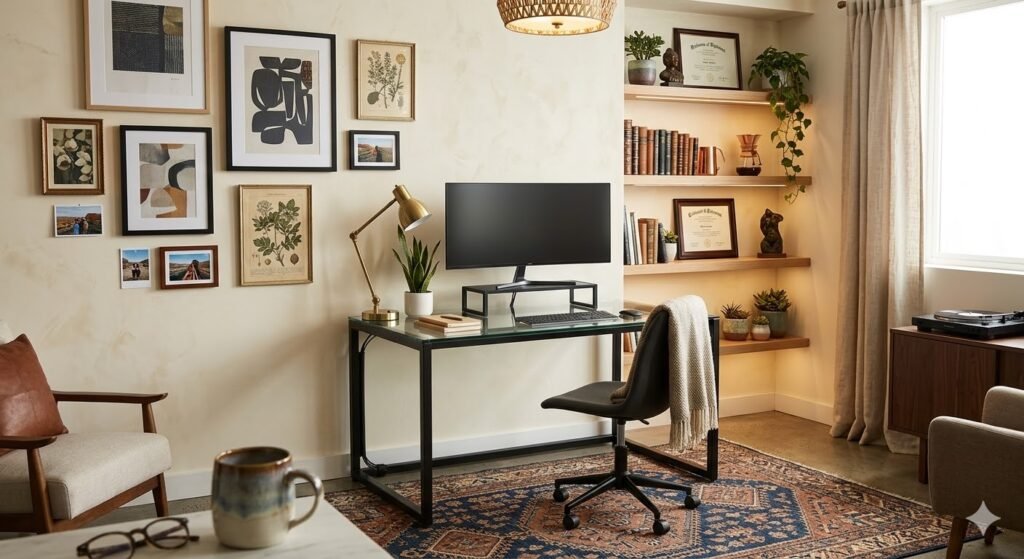
Your desk is more than just a place to work — it is the foundation of your productivity. The right desk setup ideas can transform how you work, study, and create. Whether you are planning your desk layout ideas from scratch, building a minimal workspace, setting up a dual-monitor workstation, or fitting a productive home office into a compact apartment, a well-designed desk setup improves focus, comfort, and efficiency.
This is the complete guide. It covers every desk layout type, every style, every budget, and every practical upgrade — from cable management to ergonomics. Use the section links below to jump to what you need, or read through for the full picture.
Whether you have a sprawling corner office or a compact apartment desk, the principles in this guide will help you maximize productivity and create a workspace you genuinely want to spend time in.
Explore Desk Setup Styles by Type:
- Minimalist Desk Setup Ideas →
- Gaming Desk Setup Ideas →
- Laptop Desk Setup Ideas →
- Small Desk Setup Ideas →
- Aesthetic Desk Setup Ideas →
- IKEA Desk Setup Ideas →
- Work From Home Desk Setup →
- Clean Desk Setup Ideas →
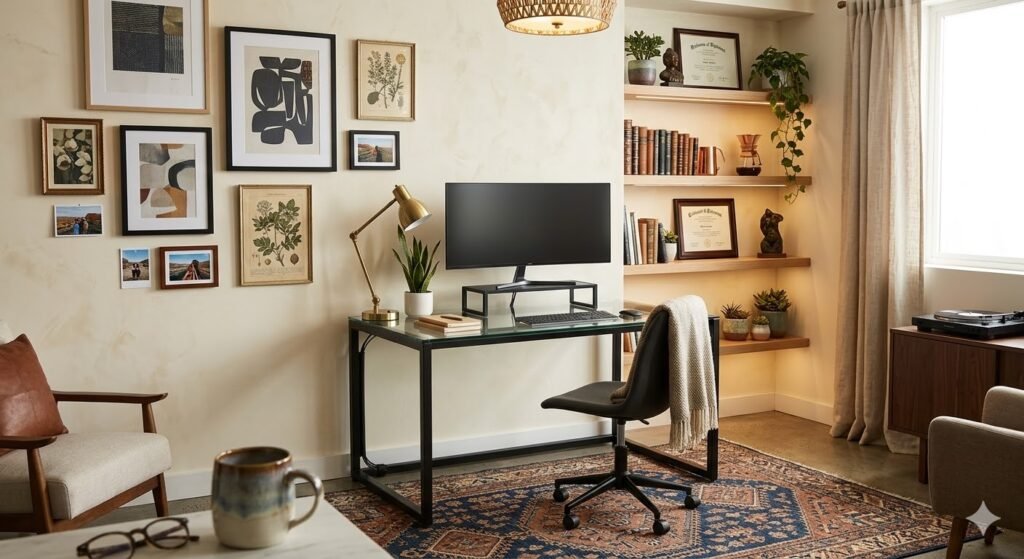
If you are looking for a budget-friendly upgrade that looks anything but cheap, our complete guide to the Karlby desk setup walks you through every step — from choosing your size and supports to cable management and accessories.
Desk Layout Ideas: How to Arrange Your Workspace
Before choosing furniture or accessories, your desk layout determines everything — how much surface area you have, how your body is positioned, how the room flows, and whether your setup feels intentional or cramped. Here are the five most effective desk layout ideas for every room type and work style.
1. Straight Single-Wall Desk Layout
The most common desk layout places a single straight desk against one wall. It is simple, space-efficient, and works in any room. Ideal for single-monitor setups, laptop users, and anyone with a bedroom or spare room that has one clear wall. Choose a desk at least 48 inches wide to avoid feeling cramped, and mount a monitor arm to reclaim 4–6 inches of desk depth.
Best for: Small rooms, single monitors, students, focused solo work.
Desk width: 47–60 inches.
Key upgrade: Monitor arm + floating shelves above.
2. L-Shaped Corner Desk Layout
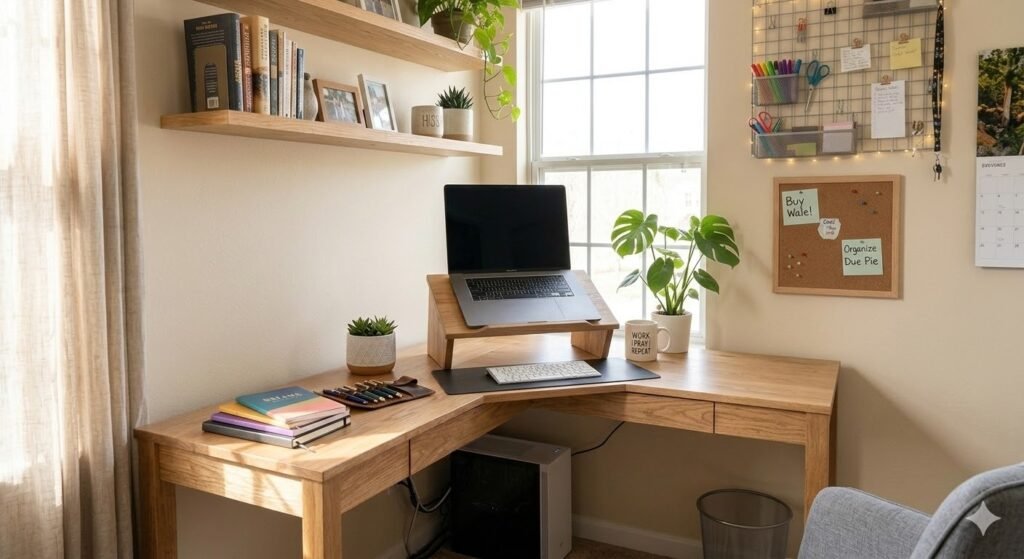
An L-shaped desk layout uses corner space that would otherwise go to waste. One wing becomes your primary work surface; the other holds secondary monitors, reference materials, or equipment. This desk layout is one of the most popular home office configurations because it creates a natural “command center” feeling and defines your workspace within a larger room. Use one side for your screen and keyboard, and keep the other side clear for writing or documents.
Best for: Dual monitors, WFH professionals, creative workers, anyone who multitasks.
Desk width: 48+ inches on each wing.
Key upgrade: Corner shelf above + cable management on both wings.
3. U-Shaped Desk Layout
A U-shaped desk layout surrounds you on three sides, giving you the maximum surface area of any configuration. One section holds your primary monitors, a second holds secondary tasks or equipment, and the third acts as a reference surface or storage area. This desk layout works best in larger dedicated home offices or studio spaces. It requires a room with at least 10×10 feet of clear space to avoid feeling enclosed.
Best for: Power users, content creators, anyone with multiple workflows running simultaneously.
Room requirement: 10×10 feet minimum.
Key upgrade: Consistent cable management across all three sections.
4. Floating Wall-Mounted Desk Layout
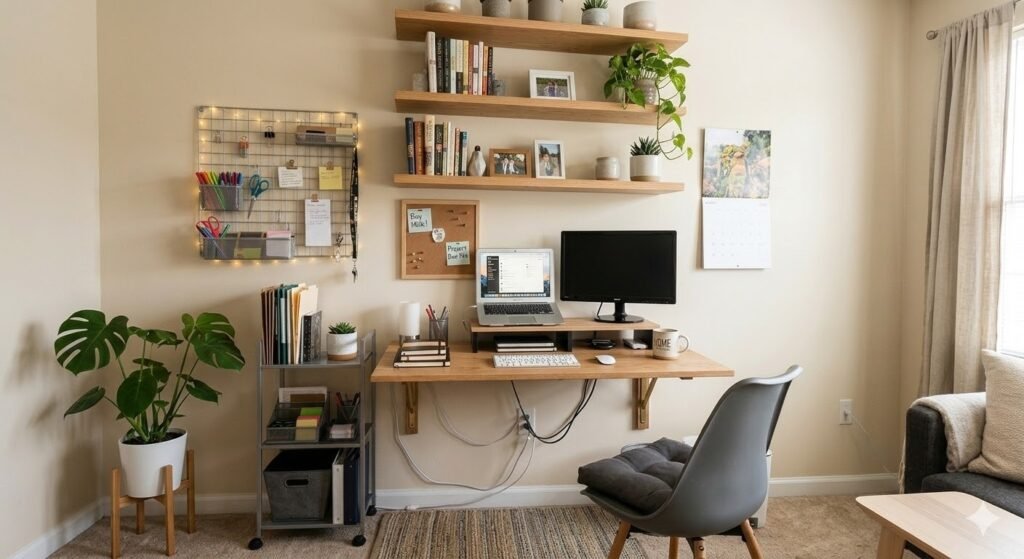
A wall-mounted floating desk has no legs, which frees up floor space entirely and makes any room feel larger. This desk layout is the best option for studio apartments, bedroom offices, and rooms that double as living spaces. The surface is fixed to the wall at your preferred height — 28–30 inches for seated work, 40–42 inches for standing. Pair with a floating shelf above for monitor placement and vertical storage.
Best for: Small apartments, multi-use rooms, renters, minimalists.
Desk width: 36–48 inches is typical.
Key upgrade: In-wall cable routing + pegboard above.
5. Standing Desk Layout
A sit-stand desk layout replaces a fixed-height desk with a motorized frame that adjusts at the press of a button. This is not just a desk choice — it changes how you work all day. Standing for 30–60 minutes per session improves circulation, reduces back pain, and increases energy levels. Position your monitor arm so it rises with the desk, and use an anti-fatigue mat when standing. For the best standing desk options at every budget, our Fezibo electric standing desk review covers the most popular entry-level model in detail.
Best for: Full-time remote workers, anyone with back pain, long-session gamers.
Cost: $300–$800 for a quality motorized frame.
Key upgrade: Anti-fatigue mat + monitor arm that travels with the desk height.
Home Office Desk Layout Ideas
A home office desk layout has unique requirements that a bedroom desk or shared space setup does not. You need to separate work from home life visually, control noise and distraction, and create an environment professional enough for video calls but comfortable enough for 8-hour days. Here is how to approach a home office desk layout at every room size.
Dedicated Room Home Office Layout
Position your desk so you face the door — this reduces the psychological discomfort of having your back to an entrance and puts you in a position of visual control. Place the desk perpendicular to the window to get natural light without screen glare. Use the wall behind your monitor for shelving, artwork, or a pegboard — this is what viewers see on video calls. Keep floor space clear on at least one side for movement.
Bedroom Desk Layout
A bedroom desk layout needs a clear visual separation between work and rest. Place the desk in a corner or against a wall that is not in your sightline from the bed. Use a room divider, curtain, or bookshelf to physically break the space if possible. A clean desk setup is especially important in a bedroom — a cluttered desk in your sleep environment increases stress and disrupts sleep quality. Always tidy your desk at the end of the workday.
Open Plan Home Office Layout
In an open-plan home, your desk layout needs to define your workspace within a larger shared room. An L-shaped desk in a corner does this naturally — it creates a three-sided zone that feels distinct from the rest of the room. Use consistent color and materials between your desk furniture and the rest of the room so the workspace does not clash. A floor lamp or pendant light directly above the desk further defines the zone as its own dedicated space.
Minimal Desk Setup Ideas
Minimal desk setups are about intentionality. Every element has a purpose. By removing visual clutter and unnecessary items, you create a calm, focused environment that reduces cognitive load and increases productivity. Here are eight inspiring minimal workspace ideas:
White Minimalist Desk with Wooden Accents
Clean white desks paired with warm wooden elements create a serene foundation for deep work. Use a white desktop with natural wood legs or a wooden underframe to add warmth without complexity. Keep the surface clear except for your monitor, keyboard, and a single plant. This setup works beautifully in modern apartments and traditional homes alike.
Key elements: White or light gray desktop (48–60″ wide), wooden desk legs (oak, walnut, or light pine), single monitor on a simple stand, minimal desk organizer or nothing at all.
Why it works: The high contrast between white and wood draws the eye naturally to your work. The minimal surface keeps you focused on the task at hand rather than distracted by decorative items.
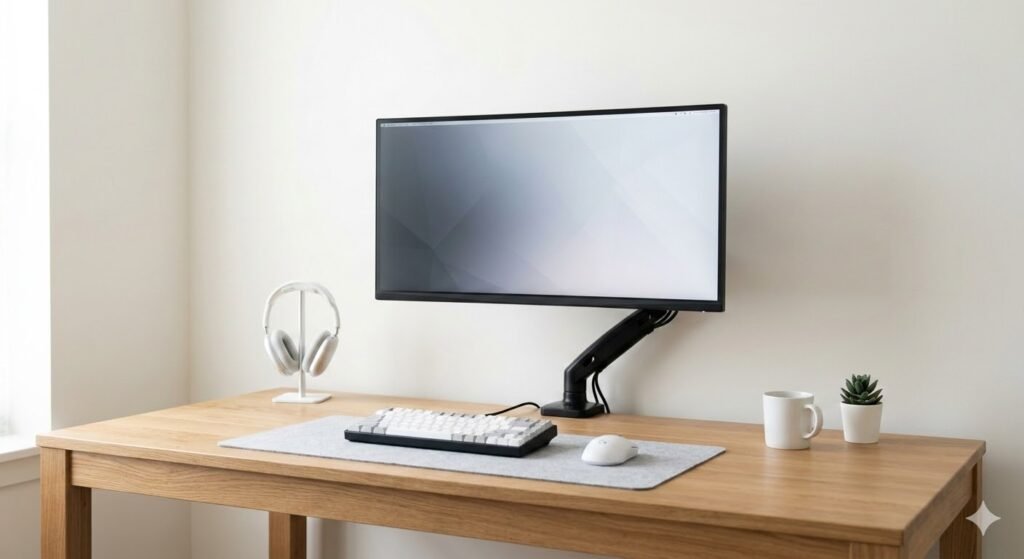
Floating Desk Workspace
Floating desks are architectural statements that save floor space while creating an airy, modern aesthetic. Mounted directly to the wall with concealed brackets, they make even a small room feel open and intentional. Pair with a floating shelf above for monitor placement and cable management becomes invisible.
Key elements: Wall-mounted desk (36–48″ wide), concealed mounting brackets, floating shelf for monitor, recessed power outlets in the wall.
Why it works: Floating desks create visual lightness and free up floor space, making them ideal for small apartments and compact home offices.
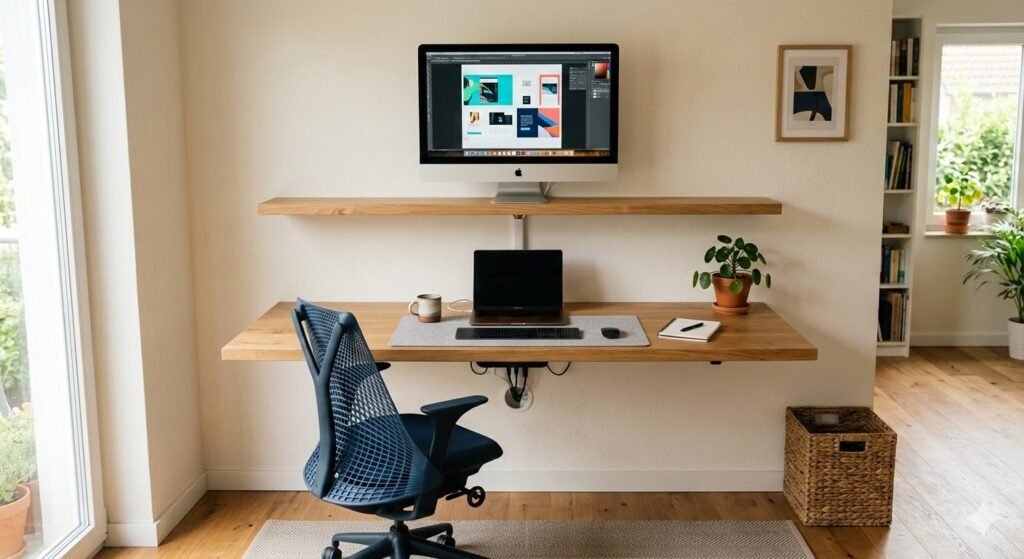
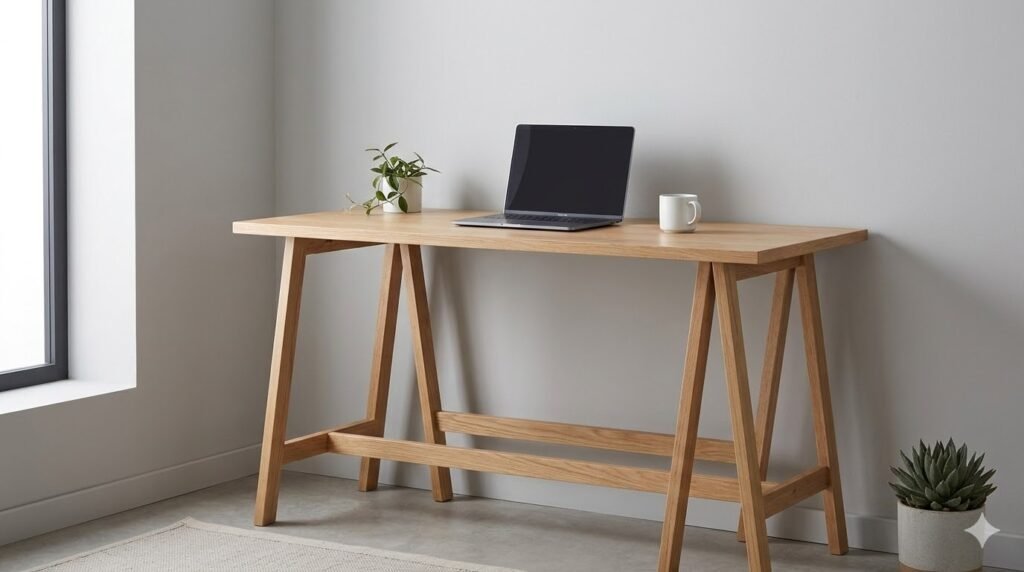
Natural Wood Minimal Desk
Solid wood desks bring warmth and durability to a minimal setup. Whether you choose reclaimed wood, walnut, or light oak, a wooden desk becomes a focal point that ages beautifully over time. Keep everything else stark — light walls, minimal accessories — to let the wood shine.
Key elements: Solid wood desktop (natural finish, 60″ minimum), simple wooden legs or trestle base, neutral wall color (white or soft gray), single monitor on an adjustable arm.
Why it works: A quality wooden desk needs almost no decoration because the material itself is beautiful. This approach reduces decision fatigue and creates a grounding effect.
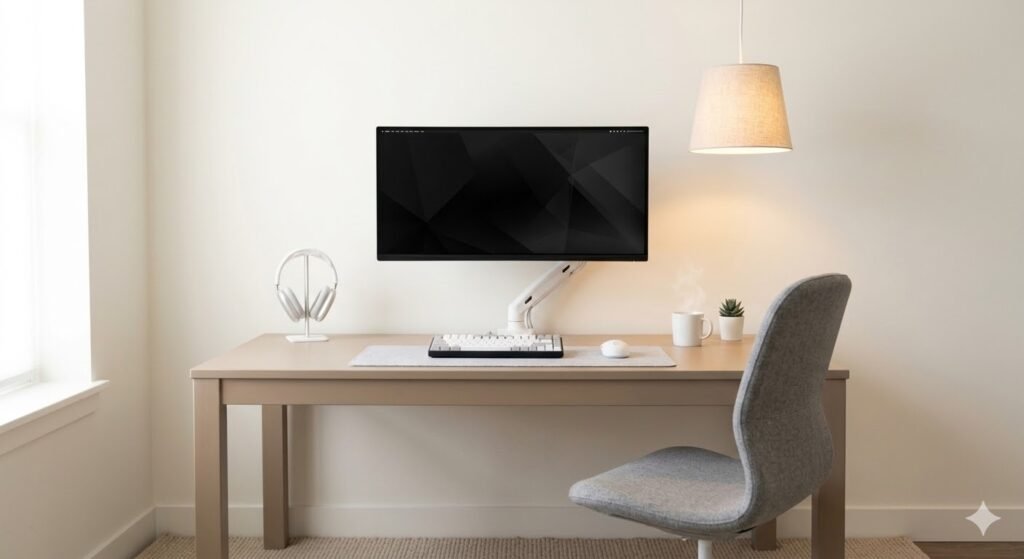
Neutral Tone Workspace (Beige, Taupe, Gray)
Monochromatic neutral workspaces create sophisticated, restful environments. By using varying shades of beige, taupe, and gray throughout your setup, you create depth without visual noise. This palette has been proven to reduce eye strain and mental fatigue during long work sessions.
Key elements: Beige or taupe desk, gray office chair, neutral monitor stand, soft white or gray wall paint, single accent in natural wood or matte black.
Why it works: Neutral palettes have a calming effect on the brain. Muted tones improve focus and reduce decision fatigue, helping you stay in a productive state longer.
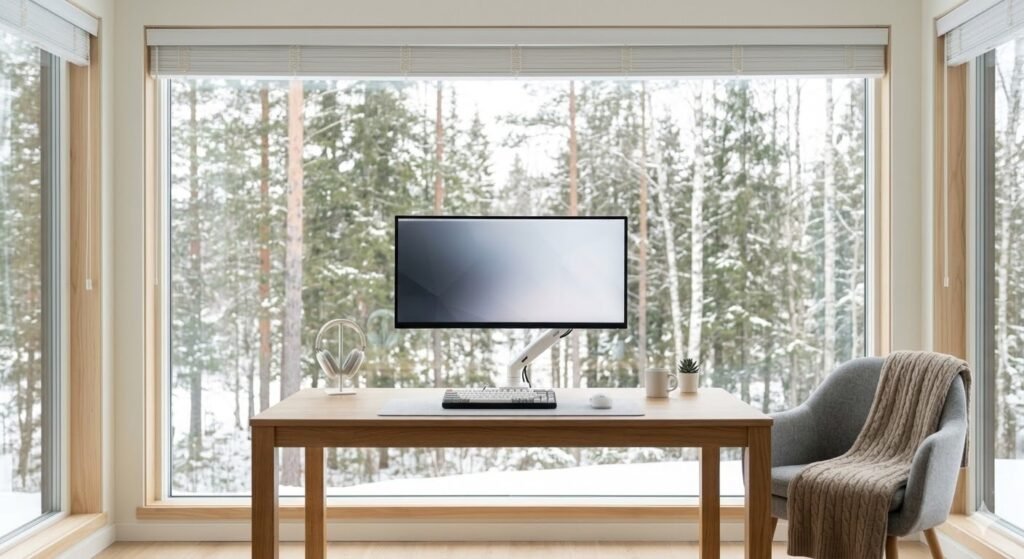
Scandinavian Minimalist Setup
Scandinavian design prioritizes function, light, and simplicity. This setup typically features light wood, white walls, and plenty of natural light. Everything is deliberately placed; nothing is accidental. The result is both beautiful and deeply practical.
Key elements: Light wood desk (birch or light oak), white or light gray chair, large window for natural light, minimal metal accents (brushed steel or matte black), one or two potted plants.
Why it works: Light colors brighten small spaces, open layouts improve airflow, and minimal accessories make cleaning and maintenance effortless.
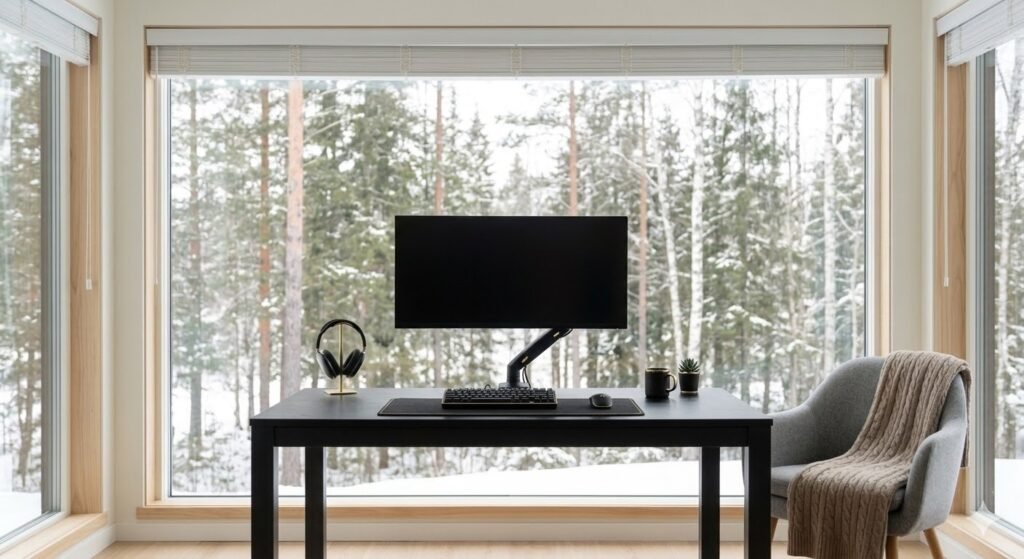
Monochromatic Black Minimal Desk
A black minimal setup is dramatic and sophisticated. Black desks, black monitors, black cable management — everything cohesive and sleek. Pair with bright white walls and a single accent element (like a golden lamp or green plant) for visual interest.
Key elements: Black desk or matte black desktop on metal frame, black monitor stand and arm, matte black cable trays, bright white walls, one contrasting accent piece.
Why it works: All-black workspaces feel premium and professional. They hide dust and cables exceptionally well, reducing visual chaos.
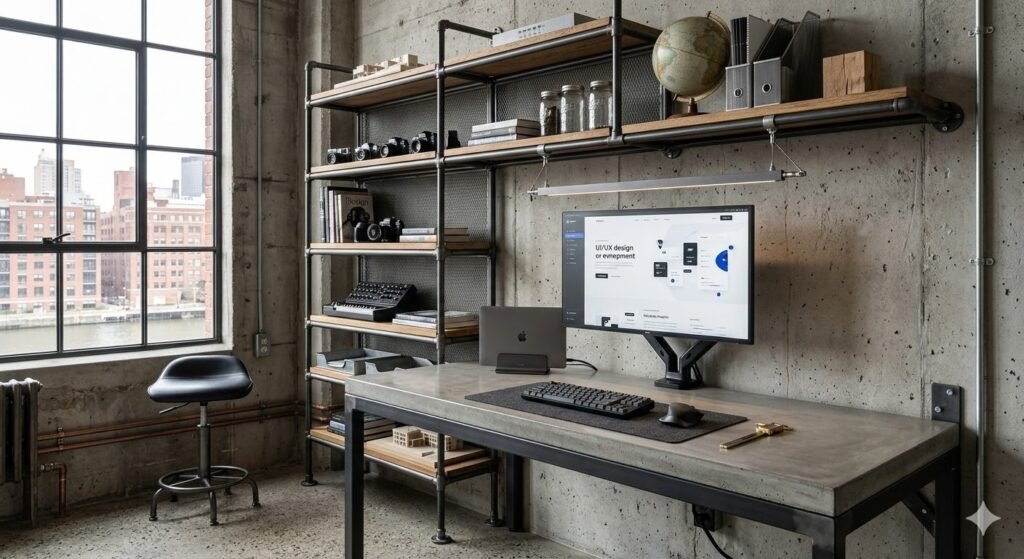
Industrial Minimal Workspace
Industrial minimal combines raw materials (exposed metal, concrete, reclaimed wood) with clean lines. Think metal shelving, steel desk frame, concrete desktop. It is minimal but with an edge — perfect for creative professionals and makers.
Key elements: Steel desk frame, concrete or reclaimed wood top, metal shelving or brackets, exposed cable management (black cables on black frame), minimal greenery to soften the space.
Why it works: Industrial designs age beautifully and look intentional rather than sparse. The raw materials create authenticity that polished surfaces cannot match.
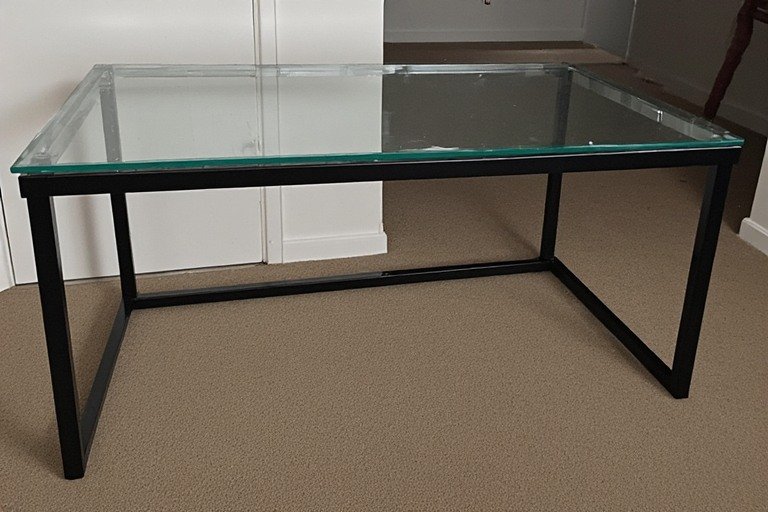
Glass and Metal Minimal Desk
A transparent glass desktop with a black or silver metal frame is the ultimate minimal statement. Glass creates visual lightness while the frame provides structure. It is the ideal setup for anyone who loves contemporary design and uncluttered aesthetics.
Key elements: Tempered glass desktop (clear or frosted), metal frame (black steel or brushed aluminum), metal monitor stand, minimal visible cables (routed underneath), light wood accent piece or plant.
Why it works: Glass does not create visual weight, making even a large desk feel weightless. The modern material combination communicates contemporary professionalism.
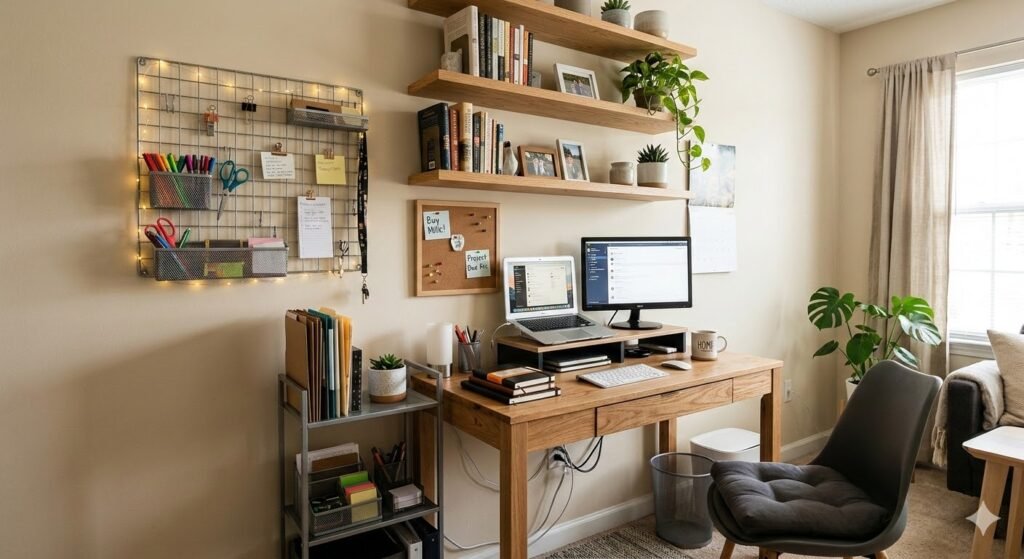
Small Desk Setup Ideas
Not everyone has room for a sprawling workspace. Small desk setups require creativity, but they often become the most efficient and focused workspaces. Here are proven approaches for compact environments:
Small Apartment Workspace
In small apartments, your desk might be in a bedroom, living room, or even a closet. The key is vertical space and multi-function. Use tall shelving above the desk, wall-mounted organizers, and a compact desk surface. Choose a desk width of 36–48″ and keep the chair minimal.
Key elements: Compact desk (36–48″ wide, 24″ deep), tall narrow shelving above, wall-mounted monitor arm, under-desk storage or drawers, folding or rolling chair that stores elsewhere when not in use.
Why it works: Vertical storage and wall-mounted elements save precious floor space. Everything is within arm’s reach, reducing the footprint without reducing functionality.
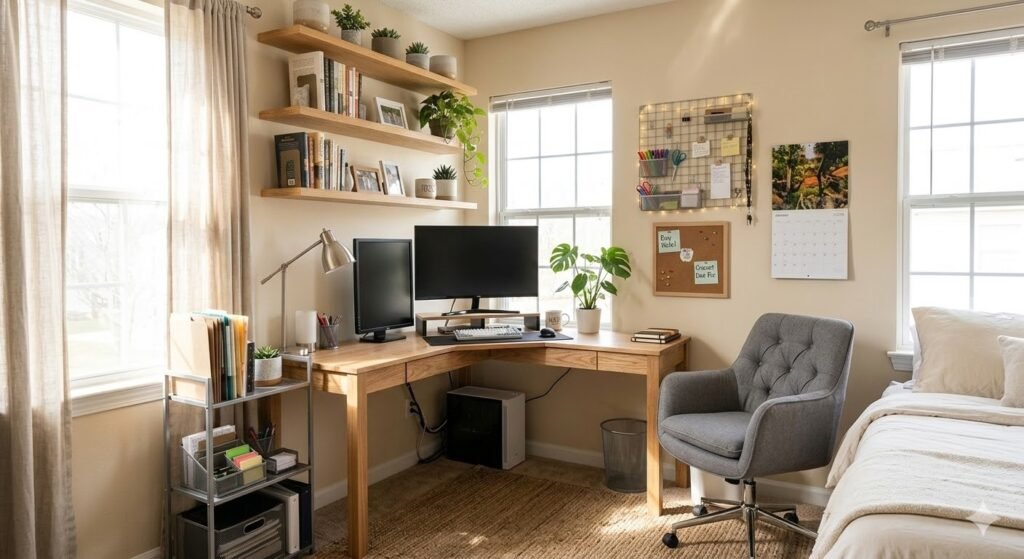
Corner Desk Setup
Corner desks maximize underutilized space and create a defined workspace within a larger room. L-shaped configurations give you a large work surface while taking up less floor space than you would expect. Use one side for your primary work and the other for additional monitors or materials.
Key elements: L-shaped desk (48″+ on each side), monitor arm on primary work area, task lighting at each corner, corner shelf or cabinet for storage, ergonomic chair with good support.
Why it works: Corner desks create a natural “command center” feeling and define your workspace in open-concept homes. The L-shape reduces ambient distractions by positioning your back toward the room.
Compact Laptop Desk
If you primarily use a laptop, you need surprisingly little space. A 24–30″ desk is sufficient if you add a monitor stand that elevates your screen. This setup is perfect for students, freelancers, or anyone with a minimalist lifestyle.
Key elements: Small desk or table (24–30″ wide), laptop stand (wooden or metal), external monitor (optional, 24″), minimal accessories, portable keyboard and mouse.
Why it works: Compact laptop setups are affordable, portable, and perfect for hot-desking in coffee shops or co-working spaces. They prove that you do not need much space to be productive.
Wall-Mounted Desk
When floor space is at a premium, wall-mounted desks are game-changers. These fold down when not in use or stay open for a permanent but minimal footprint. They work brilliantly in dorms, studio apartments, and home offices that double as bedroom or living space.
Key elements: Wall-mounted desk (24–36″ wide when extended), sturdy wall brackets rated for weight, fold-down or flip-up design (optional), wall-mounted shelving for storage, compact monitor arm.
Why it works: Wall-mounted desks use zero floor space and create a seamless look when folded away. They are perfect for anyone who transitions between work and rest in the same room.
Narrow Desk Layout
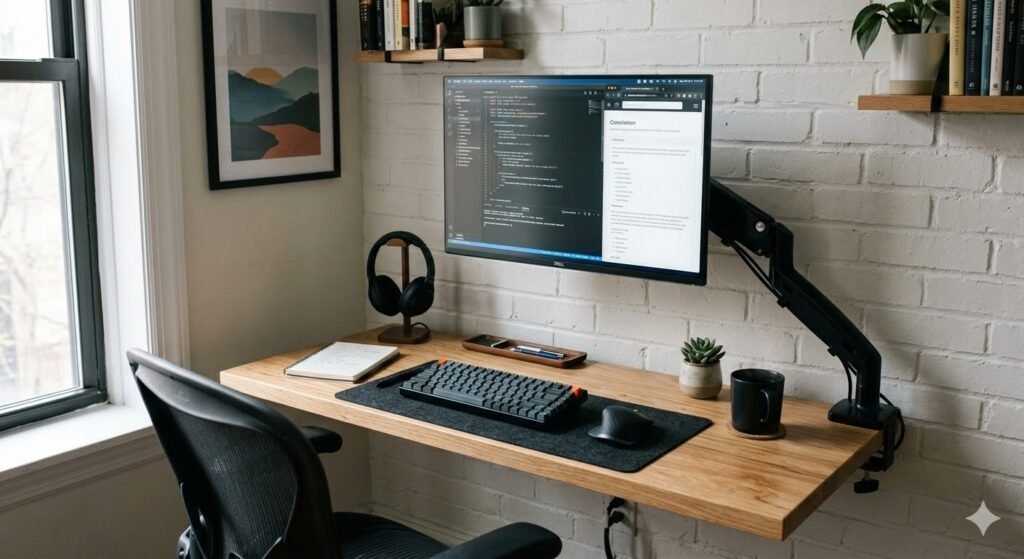
Some spaces have one wall perfect for a desk but limited depth. A narrow desk (18–20″ deep) positioned against that wall works beautifully. Pair with a monitor on an articulating arm that moves over your lap when not in use, creating actual surface space for writing or projects.
Key elements: Narrow desk (18–20″ deep, 48″+ wide), monitor arm with full articulation, keyboard tray under desk, wall shelves above, single desk lamp mounted to wall.
Why it works: Narrow desks fit naturally into architectural spaces that other furniture cannot occupy. The articulating monitor arm transforms limited surface area into multi-functional space.
Laptop Desk Setup Ideas
Laptops have revolutionized work flexibility, but using them on your lap or hunching over a closed lid creates ergonomic problems. Here is how to create dedicated laptop workspaces:
Laptop + External Monitor Setup
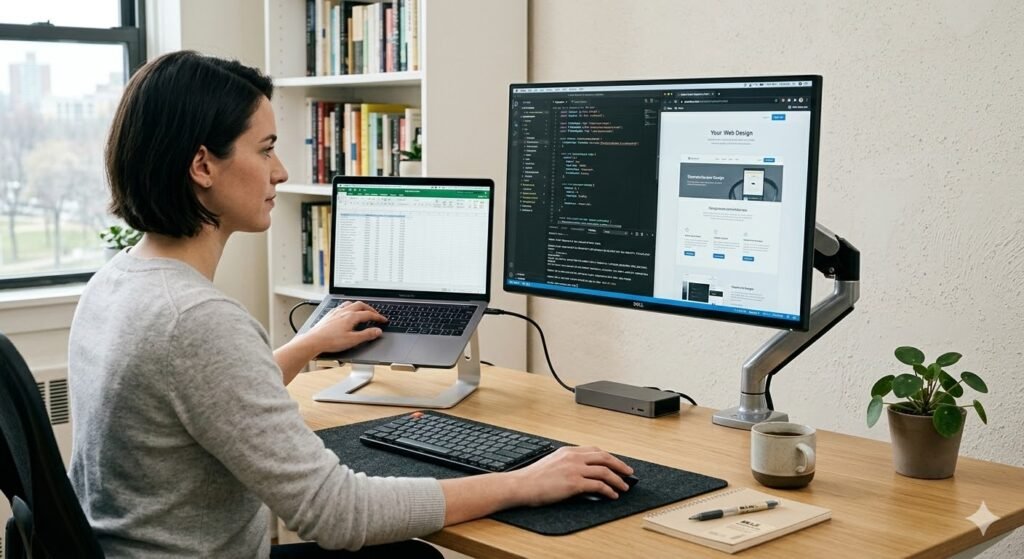
This is the gold standard for laptop users. Your laptop provides processing power and portability; the external monitor provides proper height and screen real estate. Position the monitor at arm’s length with the top of the screen at eye level.
Key elements: Laptop stand (3–6 inches elevation), 24–27″ external monitor, separate wireless keyboard, separate mouse, desk space for both the laptop and monitor.
Why it works: An external monitor eliminates the ergonomic nightmare of looking down at a laptop screen. You get the best of both worlds: portable processing with a stationary, proper workspace.
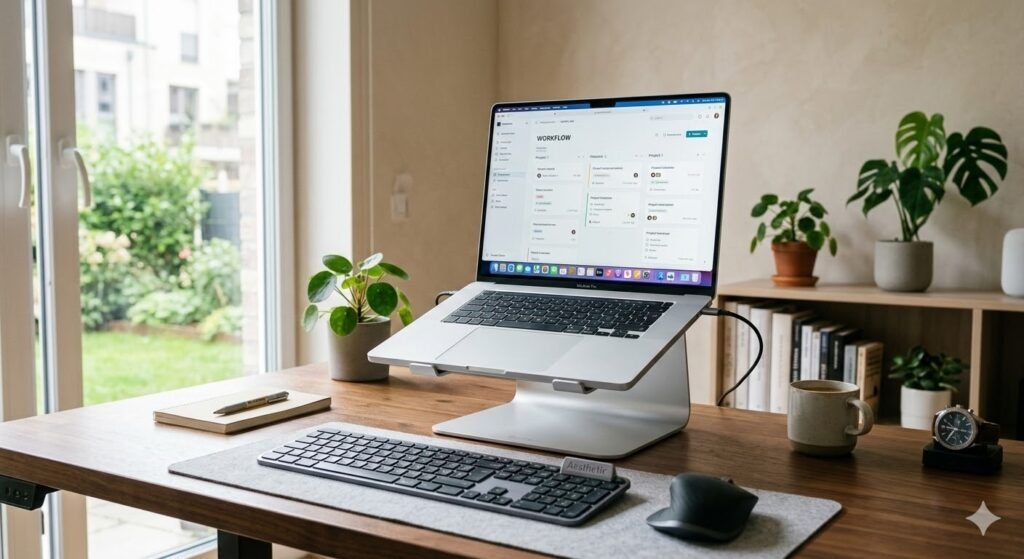
Laptop Stand Workspace
A quality laptop stand elevates your screen to eye level and creates desk space underneath for keyboard and mouse. Aluminum stands are durable; wooden stands are beautiful. Choose one that matches your aesthetic and can handle your laptop’s weight.
Key elements: Aluminum or wooden laptop stand, separate wireless keyboard, external mouse or trackpad, any size desk or table, optional monitor for ultra-wide workspace.
Why it works: Laptop stands are affordable ($20–80) and instantly improve ergonomics. They look intentional and stylish, making your setup feel deliberate rather than improvised.
Travel-Friendly Laptop Desk Setup
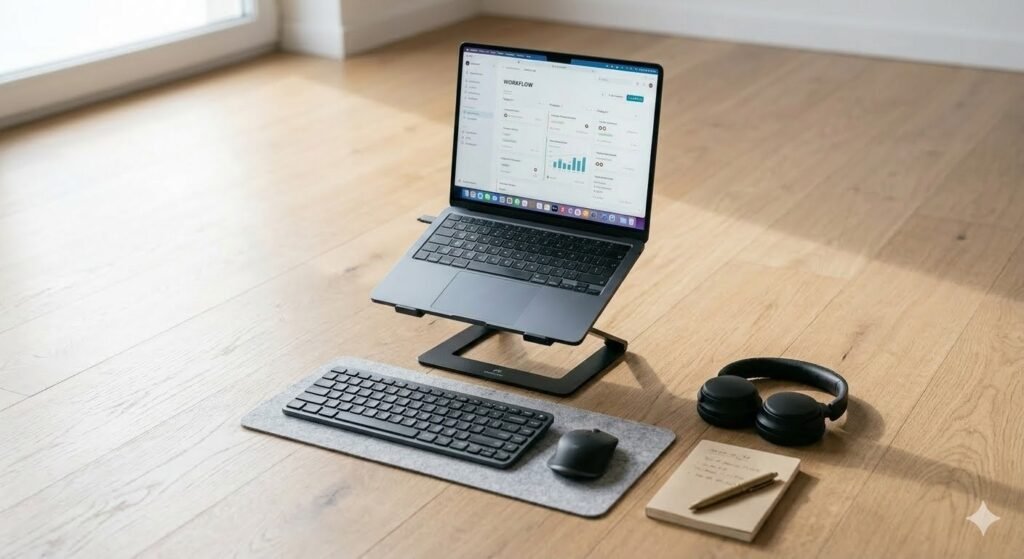
If you work from coffee shops, client offices, or travel frequently, your setup needs to be portable and functional anywhere. Everything should fit in a laptop bag and set up in seconds.
Key elements: Lightweight collapsible laptop stand, portable Bluetooth keyboard and mouse, laptop backpack with cable organization, optional compact portable monitor (15–17″), minimal cables and adapters.
Why it works: Travel-friendly setups maintain good posture in any location, preventing the back and neck pain that comes from hunching over a closed laptop.

Minimal Laptop Workspace (Desk-Free)
Some people prefer to use their laptop as their primary device without external monitors. This requires intentionality: good lighting, proper desk height, an external keyboard and mouse. Your setup should include your laptop stand, input devices, and nothing else.
Key elements: Laptop on elevated stand, wireless keyboard, wireless mouse, minimal desk space, task lighting above your work area.
Why it works: A minimal laptop workspace removes distractions while maintaining portable functionality. It is ideal for focused work sessions when you do not need multiple monitors.
Dual Monitor & Ultrawide Desk Setup Ideas
Once you go multi-monitor, you never go back. Here is why professionals and creatives swear by expanded screen real estate:
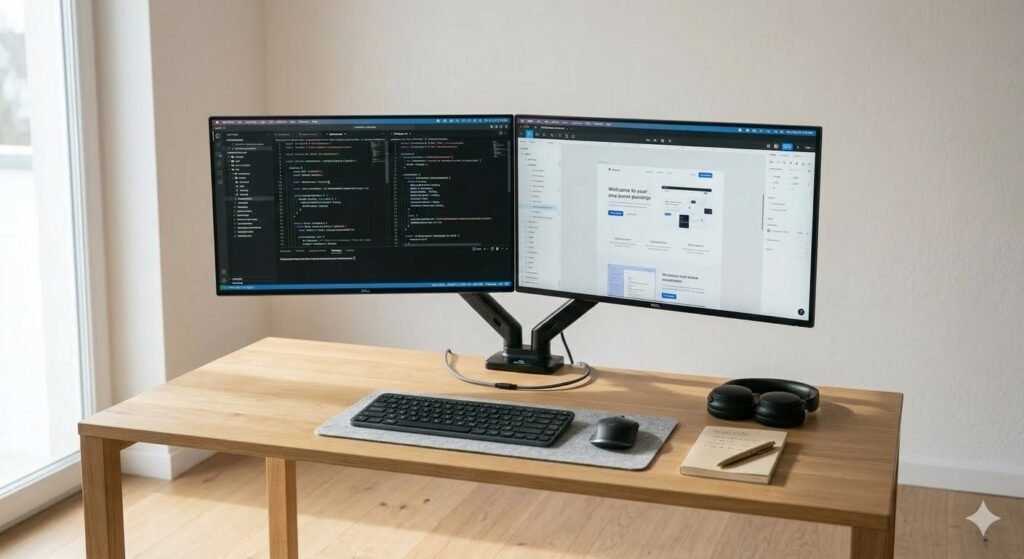
Dual Monitor Setup (Side-by-Side)
The classic dual-monitor configuration: two 24–27″ monitors side by side. This is perfect for developers, designers, and anyone who needs to reference one window while working in another. Position monitors at a slight angle (about 30 degrees) rather than completely flat.
Key elements: Two identical monitors (24–27″), dual monitor arm or two single arms, larger desk (60″+ wide), ergonomic chair with good height adjustment, separate keyboard and mouse.
Why it works: Dual monitors eliminate the context-switching cost of alt-tabbing between windows. You see everything simultaneously, dramatically increasing productivity for knowledge work.
Stacked Monitor Layout
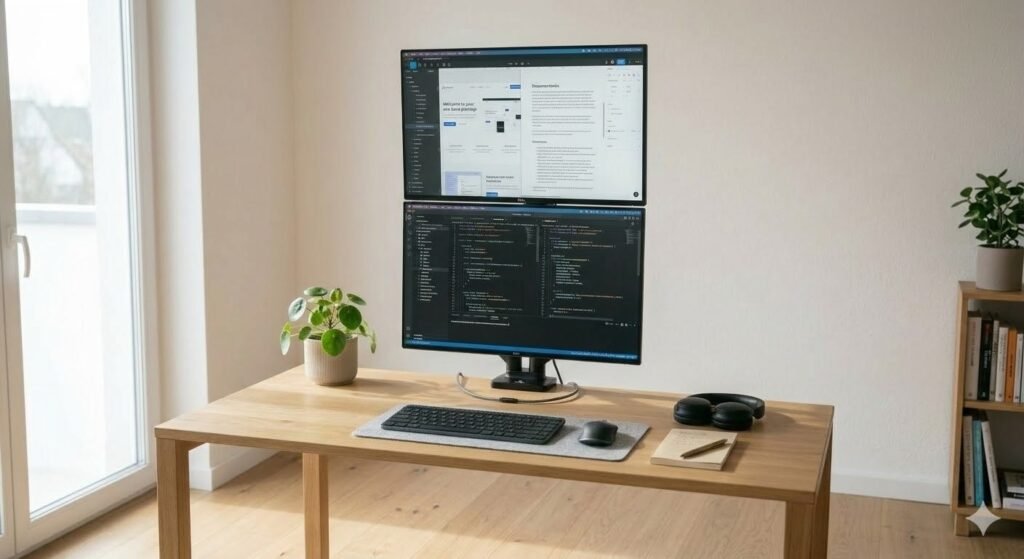
Some people prefer stacking monitors vertically instead of side-by-side. This works brilliantly if you are often reading long documents or scrolling through content feeds. Position the primary monitor at eye level and stack the secondary monitor above it.
Key elements: Two monitors (24″ recommended), one monitor arm for primary monitor, wall mount for secondary monitor above, tall desk (at least 30″ deep), adjustable chair for comfort.
Why it works: Stacked monitors work perfectly for content creators, writers, and researchers who need vertical screen space. This configuration also takes up less desk width.
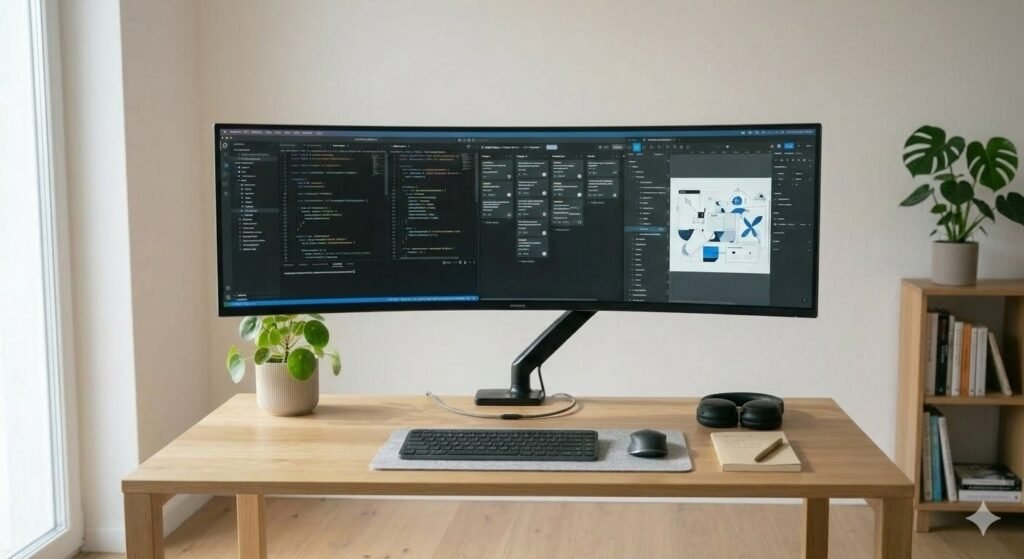
Ultrawide Monitor Desk Setup
A single ultrawide monitor (34–49″) provides more screen real estate than dual monitors while occupying less desk space. Ultrawide screens are increasingly popular with professionals who want the workspace of two monitors without the visual separation.
Key elements: One ultrawide monitor (34–49″), single monitor arm or stand, large desk (60–72″ wide to avoid feeling cramped), curved ultrawide for better edge visibility (optional), high-resolution for sharp text and images.
Why it works: Ultrawide monitors eliminate the bezel in the middle of dual setups. They are becoming the professional standard because they reduce cable clutter while providing expansive screen real estate.
Vertical Monitor Workspace
Some professionals — especially developers reviewing code and designers managing timelines — prefer a tall vertical monitor. A portrait-oriented monitor shows more lines of code or longer documents without scrolling.
Key elements: 24–27″ monitor in portrait orientation, single monitor arm with rotation capability, compact desk, minimal desk accessories, external keyboard positioned for ergonomics.
Why it works: Portrait orientation is underutilized but brilliant for certain workflows. Developers see more lines of code; writers see more text; designers see taller canvases.

Clean Cable Management Desk Ideas
Cables are the enemy of aesthetic workspaces. Here are proven methods for making them invisible. For the full cable management guide, see our clean desk setup ideas post.
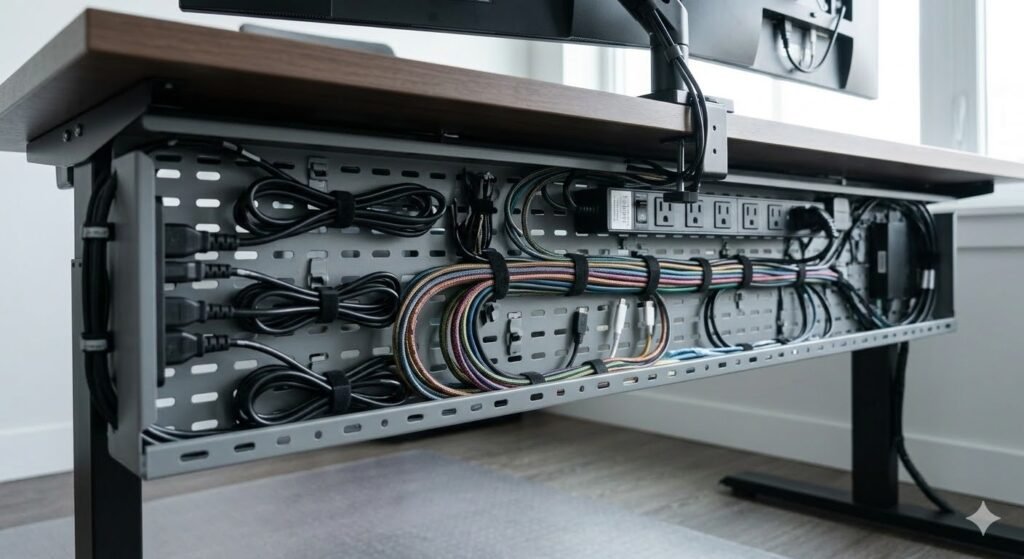
Under-Desk Cable Tray System
Steel or plastic cable trays mounted underneath your desk keep all cables hidden from view. Route power cables, monitor cables, and charging cables through the tray. This is the professional standard in offices everywhere.
Installation: Measure your desk width and depth → choose appropriately sized tray → mount with screws or heavy-duty adhesive → route cables through tray → use velcro ties → label cables for future reference.
Best products: Steel cable trays ($30–80), adhesive cable clips ($10–20), velcro ties ($5–15).
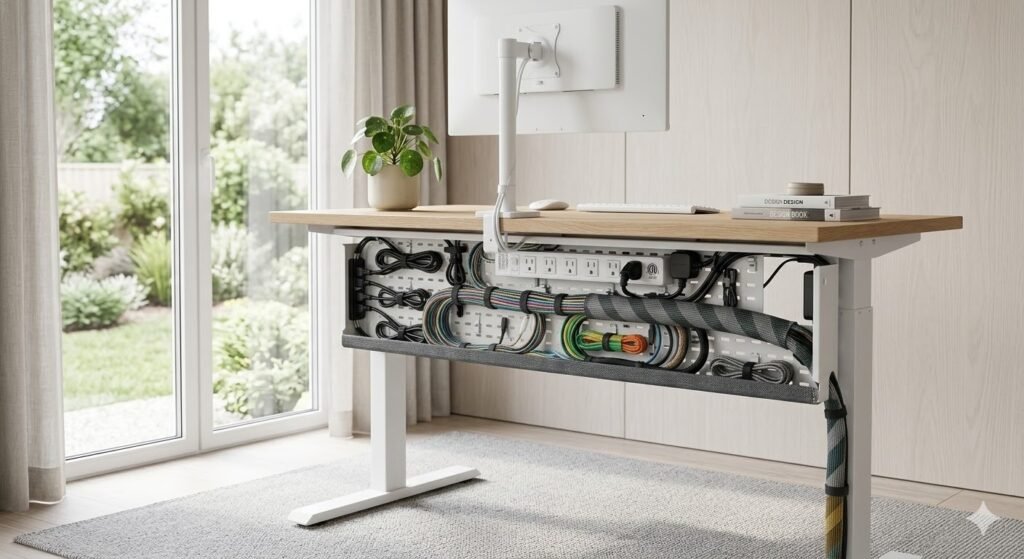
Cable Sleeves and Woven Wraps
Cable sleeves bundle multiple cables into a single organized bundle that looks intentional rather than chaotic. Woven sleeves are particularly aesthetic, matching any desk design style.
Best products: Nylon cable sleeves ($10–30), woven sleeves ($15–40).
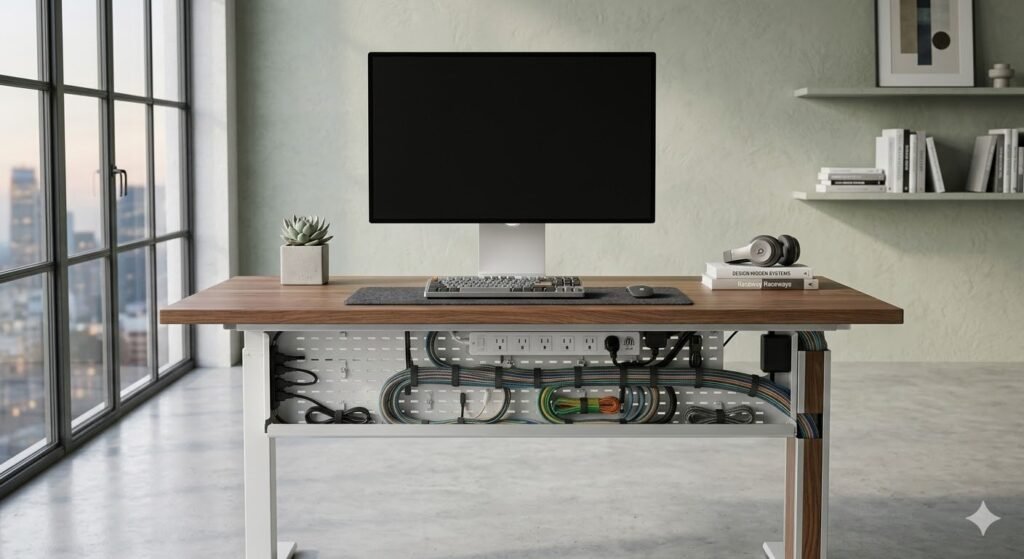
Hidden Cable Management Behind Monitors
Position your monitor arm so all cables run behind the monitor where they are not visible from the front of your desk. Route cables down the back of the monitor arm, along the desk edge, and into a cable tray below.
Best products: Monitor arms with integrated cable guides ($80–200).
Wireless-First Setup
The ultimate cable management strategy: eliminate as many cables as possible. Use a wireless keyboard, wireless mouse, wireless charging, and a power cord as your only physical cable.
Wireless components to invest in: Wireless keyboard and mouse, wireless charger for phone, wireless charging desk mat, USB-C docking station for single-cable laptop connection, wireless headphones.
Why it works: Fewer cables mean less visual clutter and fewer cable management decisions. Everything looks cleaner, and you have fewer tangled cables to manage over time.
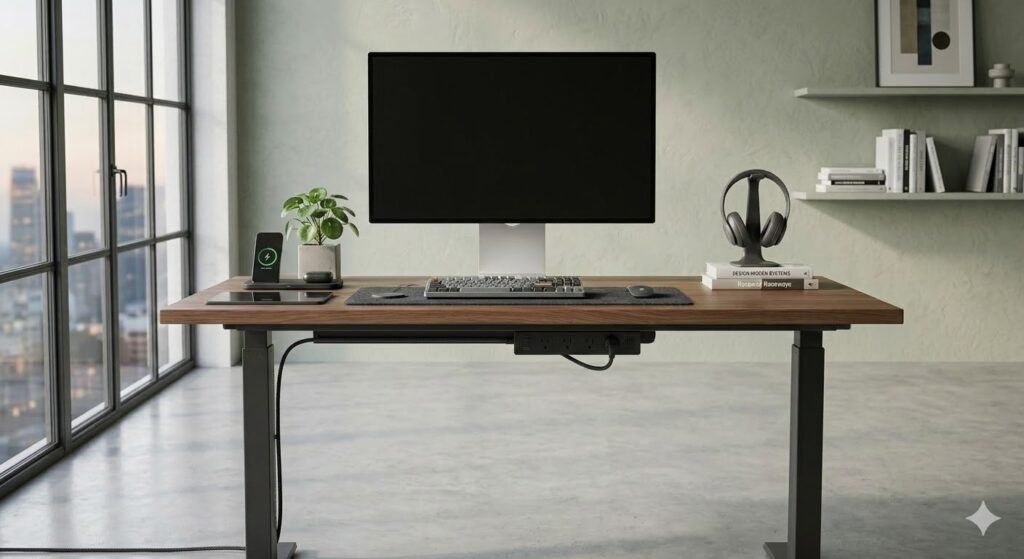
Aesthetic Desk Setup Ideas
Beyond functionality, your desk should inspire you. Here are aesthetic approaches that blend beauty with productivity:
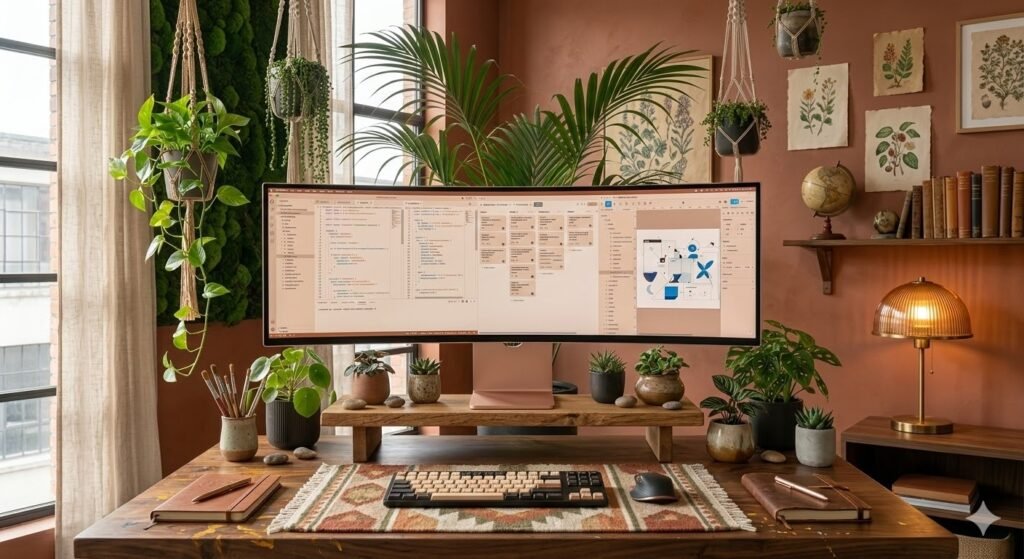
Cozy Desk Setup
Create a warm, inviting workspace with soft textures and warm tones. Add a wooden desk, natural lighting, a soft desk pad or rug, warm-toned lamp, and surrounding plants. This aesthetic is perfect for writers, designers, and anyone who wants their workspace to feel like a sanctuary.
Key elements: Warm wood tones (oak, walnut, warm maple), soft lighting (warm white, 2700K), plush desk mat or pad, cream or warm beige walls, multiple plants for organic softness.
Why it works: Cozy aesthetics reduce stress and anxiety. When your workspace feels like a refuge, you are more likely to spend time there and be more creative.
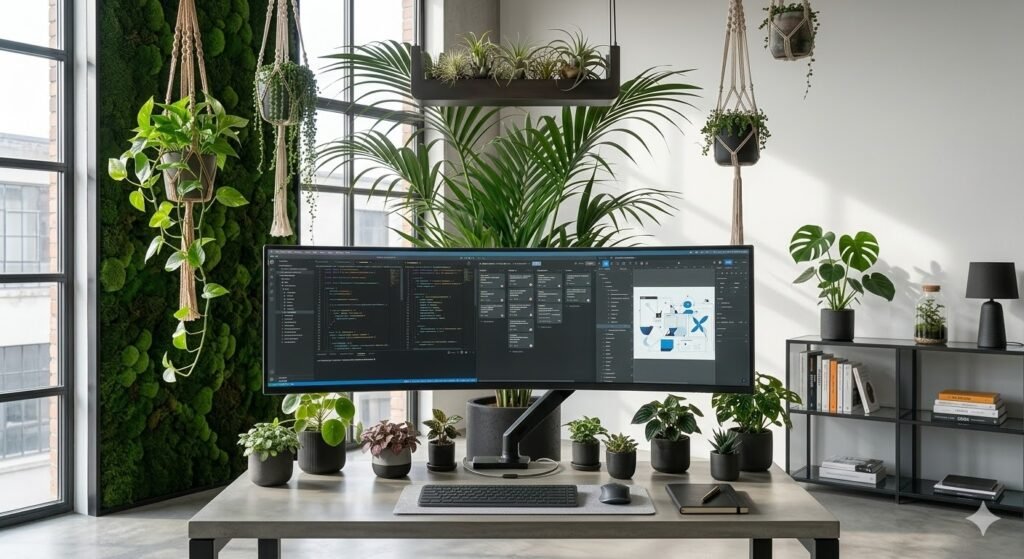
Plant-Forward Desk Setup
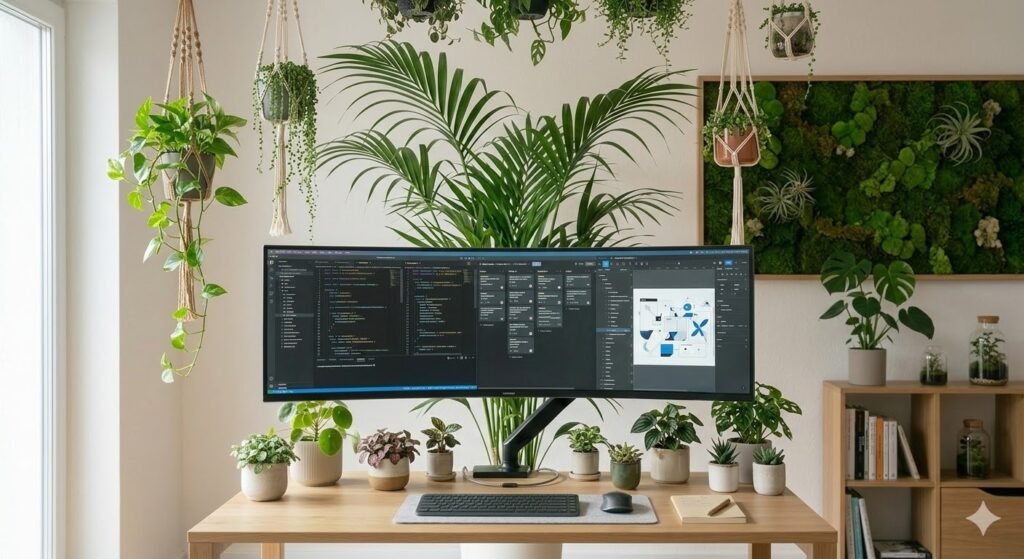
Surround your workspace with greenery. Use a large plant behind your monitor, small plants on your desk, hanging plants above, and a living moss wall if you are ambitious. Studies show plants improve focus and reduce stress.
Plant recommendations: Large leafy plants (monstera, philodendron) for impact, small succulents for desk corners, air plants (no soil required), pothos for hanging arrangements, snake plants for low-maintenance durability.
Why it works: Plants improve air quality and create a biophilic environment. The presence of living things reduces mental fatigue and increases wellbeing during long work sessions.
Warm Lighting Workspace
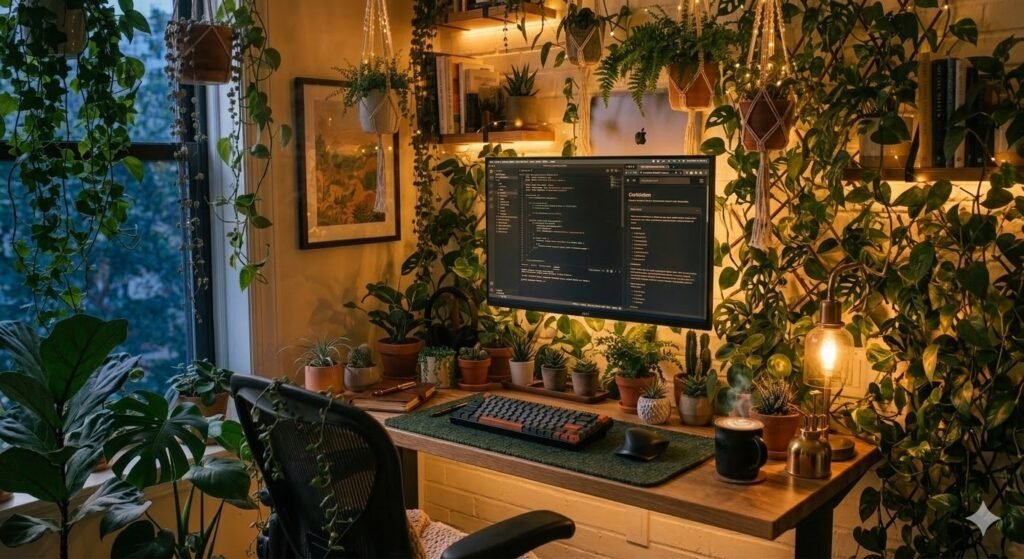
Proper lighting is the most underrated element of beautiful workspaces. Instead of harsh overhead lights, use warm task lighting that creates ambiance. Position a warm desk lamp at 45 degrees to reduce glare and eye strain.
Lighting setup: Primary warm desk lamp (2700K), secondary ambient lighting (wall sconces or bias lighting behind monitor), natural window light as primary source, dimmable warm bulbs for flexibility.
Why it works: Warm lighting (2700K) is psychologically associated with comfort and calm. It is also gentler on your eyes during evening work sessions, supporting your circadian rhythm.
Modern Aesthetic Desk
Sleek lines, premium materials, and contemporary design create a workspace that looks current and professional. Think metal frames, glass, concrete, and matte black finishes. This aesthetic appeals to minimalists and tech enthusiasts.
Key elements: Metal or glass desk, matte black or brushed steel accents, contemporary monitor arm, premium cable management, one accent color (usually jewel tones like emerald or sapphire).
Creative Workspace Design
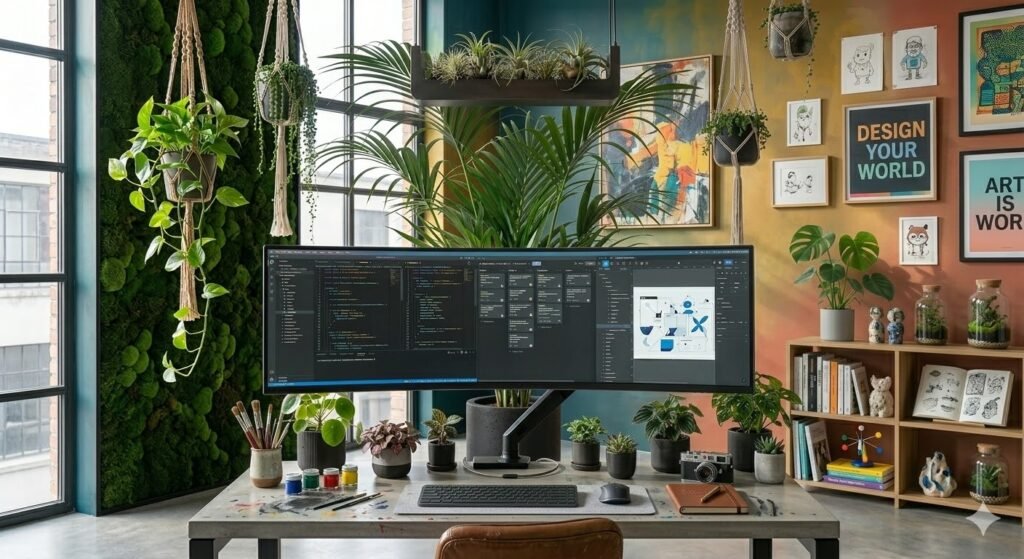
For artists, designers, and makers, your workspace should reflect your creative identity. This might mean colorful walls, eclectic furniture, inspiring artwork, and shelves displaying your work or collections.
Customization ideas: Paint an accent wall in your favorite color, display finished work on the walls, mix vintage and modern furniture, include inspiration boards or mood boards, show off collections or materials that inspire you, use unconventional desk surfaces (reclaimed wood, artistic materials).
Essential Elements of a Great Desk Setup
Beyond aesthetics and setup styles, certain functional elements are non-negotiable for a workspace that truly works. For the complete ergonomic deep-dive, see our ergonomic desk setup guide.
Ergonomics: Protecting Your Long-Term Health
Poor ergonomics lead to back pain, neck strain, wrist issues, and headaches. These problems accumulate silently over months and years. A properly ergonomic setup prevents these issues entirely.
Ergonomic essentials: Monitor top at eye level, arm’s length away (20–26″). Chair height: feet flat on floor, knees at 90°, lower back supported. Desk height: elbows at 90°, wrists neutral. Keyboard and mouse at elbow height, close to your body. Stand and walk every hour.
Ergonomic investment: A quality chair ($300–800) is worth every penny. It is the single most important item in your setup.
Lighting: More Important Than You Think
Poor lighting causes eye strain, headaches, and fatigue. Natural light is ideal, but supplemental task lighting is essential for evening work or windowless offices.
Lighting best practices: Position your primary light source to your side, not behind your monitor. Use warm white light (2700K) rather than cool white (4000K+). Include both ambient and task lighting. Avoid harsh overhead lights. Bias lighting behind your monitor reduces eye fatigue during evening work.
Monitor Height and Position
Improper monitor height is the number one cause of neck and shoulder pain among desk workers.
Proper positioning: Top of monitor at or slightly below eye level, 20–26 inches from your eyes, directly in front of you. If using multiple monitors, position the primary monitor directly ahead. Use a monitor arm, not a stand, for flexibility.
Cable Management: Function Meets Aesthetics
Visible cables are distracting and unsightly. A clean cable management system takes 30 minutes to set up and saves you from visual chaos forever.
Cable management priorities: Route all cables behind your desk, bundle cables with sleeves or trays, label each cable, secure cables to the desk or monitor arm, keep cable runs straight and organized.
Tools needed: Cable tray ($30–80), cable ties ($5–15), cable labels ($5–10).
Desk Organization: Everything in Its Place
A cluttered desk creates mental clutter. Organizing your desk helps you focus and find what you need quickly.
Organization systems: Pencil holder or drawer organizer for pens and small items, shelves above your desk for books and materials, small containers for cords and accessories, cable management for power and data cables. Only keep items on your desk that you use daily — everything else goes in drawers, shelves, or is removed entirely.
How to Build Your Ideal Desk Setup
Step 1: Choose Your Desk Layout and Size
Your desk layout comes before your desk purchase. Choose your layout first (straight, L-shaped, U-shaped, floating, or sit-stand) based on your room and workflow, then select a desk sized to fit that layout. A 48–60″ straight desk suits most single-monitor setups. An L-shaped layout needs at least 48″ on each wing. A U-shaped desk layout requires a dedicated room. See the desk layout ideas section above for full dimensions and recommendations.
Depth: 24–30″ is standard. Narrow desks (18–20″) fit tight spaces. Deeper desks (36″+) give more room but consume more of the room.
Material: Wood (warm, durable), metal (modern, clean), glass (contemporary, light), laminate (affordable, easy to clean).
Budget: $150–300 for affordable quality; $400–800 for premium wood or standing desks; $1,000+ for high-end custom options.
Step 2: Set Up Your Monitors
Once your desk is in place: choose your monitor type (single, dual, ultrawide) → mount a monitor arm → position the top of your primary monitor at eye level → arrange secondary monitors at slight angles → use a monitor stand only if an arm is not possible.
Monitor size guide: 24″ for compact setups, 27″ for general productivity, ultrawide (34″+) for advanced workflows, IPS panels for accurate colors, 144Hz+ if gaming.
Step 3: Select Your Lighting
Assess your natural light → add a warm task lamp if needed ($30–100) → consider bias lighting behind your monitor ($20–40) → position your primary light source to your side → test at different times of day.
Step 4: Invest in Accessories
Essential accessories: Quality chair ($300–800), monitor arm ($80–200), keyboard and mouse, desk mat or pad ($20–60), cable management supplies ($30–80).
Optional aesthetic accessories: Plants and planters, desk lamp (task and ambient), wall-mounted shelving, artwork or inspiration board, desk organizers.
Step 5: Optimize Cable Management
Identify all cables → route behind your desk, not visible from the front → use a cable tray or clips to keep cables organized → bundle cables with sleeves → label cables for future reference → test that you can access cables easily if needed.
Time investment: 30 minutes now saves you hours of frustration later.
Desk Setup & Desk Layout Ideas: FAQ
What makes a good desk setup?
A good desk setup combines three elements: ergonomics (protecting your health), aesthetics (inspiring your work), and functionality (supporting your specific tasks). The best setup for you is one you will enjoy spending time in, that supports your body, and that allows you to do your best work.
How do I make my desk setup look aesthetic?
Aesthetics come from intentionality. Choose a cohesive color palette, invest in quality materials, keep surfaces clean and organized, add one or two inspiring elements (plants, artwork, warm lighting), and remove anything that does not serve a purpose. Aesthetic setups feel designed, not cluttered.
What should a minimalist desk setup include?
A minimalist desk setup includes only what you actually use: a desk, a chair, a monitor, a keyboard, a mouse, and perhaps a lamp. Everything else — papers, decorations, cords — either goes in closed storage or is removed entirely. The power of minimalism is clarity and focus.
What desk size is best for productivity?
For most people, a 48–60″ wide desk provides enough space for monitors, writing materials, and a cup of coffee without feeling cluttered. Depth should be at least 24″. If you use dual monitors or need reference materials visible, go wider (60″+). If you use only a laptop, 36–48″ is sufficient.
How can I organize my desk better?
Start by removing everything from your desk. Then return only items you use daily. Everything else goes in drawers, shelves, or closed cabinets. Use small organizers for pens and supplies. The goal is clear surfaces with intentional placement of necessary items only.
What are the best desk layout ideas for a home office?
The best home office desk layout depends on your room size and workflow. An L-shaped desk layout is the most popular for home offices because it maximizes surface area using corner space. A straight single-wall layout works well for smaller rooms or single-monitor setups. A floating wall-mounted desk is best for studio apartments or rooms that double as living spaces. A U-shaped desk layout suits power users with multiple monitors and workflows running simultaneously. See the desk layout ideas section above for full dimensions and recommendations for each type.
How do I plan a desk layout for my room?
Start by measuring your room and identifying your available wall space and natural light sources. Decide your desk shape first (straight, L, U, or floating) based on your room dimensions and how many monitors you need. Then choose desk dimensions to fit. Position the desk so your monitor is not facing a window (causes glare) and so your back is not facing the door (causes discomfort). Leave at least 36 inches of clearance behind your chair for movement. Cable management is much easier to plan before the desk is in place than after.
What is the best IKEA desk layout combination?
For a straight single-wall layout, the IKEA LAGKAPTEN + ALEX combination (47–79 inches wide) is the most popular choice — wide enough for a single or dual monitor setup with built-in drawer storage. For an L-shaped layout, two LAGKAPTEN tabletops with matching ADILS legs create a full corner desk for under $300. For the widest surface area in any layout, the KARLBY countertop at 74 or 98 inches is the premium choice. See our IKEA desk setup ideas guide for full pricing and build instructions for each combination.
Conclusion
Your desk setup is an investment in your productivity, health, and daily experience. The right desk layout and environment does not just help you work better — it makes you want to show up and do your best work every day.
Whether you are drawn to a minimal white desk layout, a cozy plant-filled L-shaped corner setup, or a cutting-edge dual monitor workstation, the principles remain the same: choose your desk layout first, then design around it with quality materials, proper ergonomics, and intentional curation.
Start with one element — perhaps a better chair, a monitor arm, or a proper cable tray — and build from there. Your workspace has the power to shape your days. Make it count.
Explore more: IKEA Desk Setup Ideas | Clean Desk Setup Ideas | Minimalist Desk Setup Ideas | Gaming Desk Setup Ideas | Small Desk Setup Ideas | Ergonomic Desk Setup | Work From Home Desk Setup